What is a 3.5 mm TRRS adapter and why it matters
Understanding the 3.5 mm TRRS Adapter: The Basics
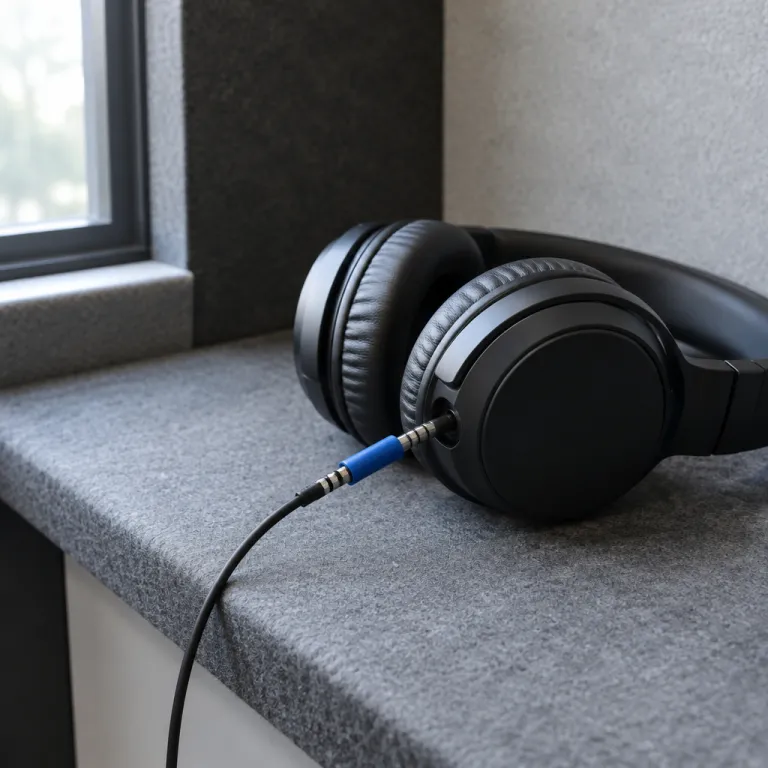
The 3.5 mm TRRS adapter is a small but essential accessory for anyone interested in noise canceling headphones. The term "TRRS" stands for Tip-Ring-Ring-Sleeve, describing the four separate contact points on the plug. This design allows the adapter to carry both stereo audio and microphone signals, making it different from the more common TRS (Tip-Ring-Sleeve) connectors, which only handle stereo audio.
Why does this matter? Many modern headphones, especially those with noise canceling features, rely on a TRRS connection to support both high-quality audio and microphone functionality. This is especially important for users who want to use their headphones with mobile devices, laptops, or gaming consoles that require a single jack for both audio and mic input.
- Connector type: TRRS adapters have four poles, compared to three on a standard stereo TRS plug.
- Compatibility: These adapters are often needed when connecting headphones to devices with different jack standards, such as some Samsung Galaxy phones or laptops with combined audio jacks.
- Versatility: TRRS adapters are available in various forms, including gold plated, slim TRRS, and mini stereo options, to suit different needs and devices.
When shopping for a TRRS adapter on platforms like Amazon, you’ll find a wide range of products, from single adapters to multi-pack options. Customer reviews and product descriptions often highlight key features such as cable quality, connector durability, and compatibility with popular devices in the United States. Price can vary depending on the brand, build quality, and whether the adapter includes additional features like a USB plug or extra audio cables.
It’s also worth noting that not all adapters are created equal. Some may only support stereo audio, while others are designed specifically for mobile devices or certain headphone models. Reading item descriptions and customer reviews can help you find the right adapter for your needs.
For those looking to extend their listening range or improve convenience, consider learning more about headphone extension leads and how they can complement your setup.
How a 3.5 mm TRRS adapter affects noise canceling performance
Impact of TRRS Adapters on Active Noise Canceling Features
When using noise canceling headphones, the type of adapter and cable you choose can directly affect the performance of active noise canceling (ANC) technology. A 3.5 mm TRRS adapter is designed to carry both stereo audio and microphone signals, thanks to its four-pole connector. This is different from a standard TRS (three-pole) plug, which only transmits stereo audio. The extra pole on a TRRS adapter allows for additional functionality, such as in-line microphones or remote controls, which are common in many modern headphones and mobile devices.
- Signal Integrity: Using a high-quality TRRS adapter ensures that the audio and microphone signals are transmitted without interference. Poor-quality adapters or cables can introduce static, hum, or even disrupt the ANC circuitry, leading to reduced noise canceling effectiveness.
- Connector Type and Compatibility: Not all adapters are created equal. Some products on Amazon or other retailers may be labeled as TRRS but lack proper shielding or gold plating, which can impact both audio quality and ANC performance. Always check customer reviews and product specifications before purchasing.
- Physical Fit: The design of the adapter, such as a slim TRRS or mini stereo plug, matters if your headphones or mobile device have a recessed audio jack. A poor fit can cause intermittent connections, affecting both stereo audio and noise canceling functions.
It’s also important to note that some noise canceling headphones rely on the TRRS connection to power the ANC feature when used with a cable. If the adapter or cable does not support the correct wiring, the headphones may revert to passive mode, losing the benefit of active noise canceling. This is especially relevant for users connecting to devices like a Samsung Galaxy phone, laptops, or USB adapters that may have different wiring standards.
For more insights on protecting your audio gear and ensuring optimal performance, you might find this article on the role of microphone cases in noise canceling headphones helpful.
In summary, the right TRRS adapter and cable can make a significant difference in how well your noise canceling headphones perform. Pay attention to product details, connector type, and customer reviews before making a purchase, especially if you’re shopping for a pack of adapters or a specific item for your headphone jack.
Compatibility issues with different devices
Device Connections and Adapter Compatibility
When using noise canceling headphones with a 3.5 mm TRRS adapter, compatibility with various devices is a key concern. Not all audio jacks or headphone ports are created equal. Some mobile devices, like certain Samsung Galaxy models, use a TRRS pole configuration for both audio and microphone functions, while others may only support stereo audio through a TRS pole. This difference can affect whether your headphones work as intended, especially for features like active noise canceling or microphone input.
Here are some common compatibility issues to watch for:
- Connector type mismatch: If your headphone jack or device only supports TRS, using a TRRS adapter may result in partial audio or no microphone function.
- Adapter cable quality: Low-quality or generic adapter cables, often found in bulk packs on Amazon, may not transmit all signals properly. Look for gold plated connectors and positive customer reviews to ensure reliable performance.
- Device-specific limitations: Some phones, especially newer models, have removed the traditional audio jack in favor of USB-C or Lightning ports. In these cases, a USB adapter or a dedicated TRRS to USB cable may be required.
- Slim TRRS vs. standard: Some cases or devices require a slim TRRS connector to fit properly. A bulky jack adapter might not make a secure connection, leading to audio dropouts.
It's also important to check the product specifications and connector type before purchasing an adapter. For example, a TRRS male to TRS female adapter may not provide microphone support, which is essential for calls or voice commands. Reading customer reviews on platforms like Amazon can help identify common issues with specific items or brands.
For those storing or transporting multiple audio cables and adapters, consider exploring the perfect hearing aid storage solution for organized and safe storage.
In summary, always verify compatibility between your headphones, adapter, and device to ensure optimal audio and noise canceling performance. The right connector and cable can make a significant difference in your listening experience, especially when switching between different mobile devices or audio sources.
Audio quality considerations with adapters
How adapters influence your listening experience
When using a 3.5 mm TRRS adapter with noise canceling headphones, audio quality can be affected by several factors. The adapter acts as a bridge between your headphones and devices like mobile phones, laptops, or audio interfaces. If the adapter or cable is not well made, you might notice a drop in stereo audio clarity, unwanted noise, or even a loss of the noise canceling function. This is especially true if the adapter does not properly match the TRRS pole configuration required by your headphone or device.
- Connector type: Not all adapters are created equal. Some feature gold plated connectors, which can help reduce signal loss and improve overall audio quality. Others may use cheaper materials that can degrade the sound.
- Build quality: A slim TRRS adapter or a mini stereo plug might look convenient, but if the build is flimsy, it can introduce static or intermittent audio. Reading customer reviews on platforms like Amazon can help you spot reliable products.
- Compatibility: Using a TRS male to TRRS adapter, or vice versa, can impact whether you get full stereo sound or just mono. The right adapter ensures your headphones deliver the intended audio experience, especially with devices like the Samsung Galaxy or other mobile devices.
- Audio cables: The quality of the audio cable itself matters. A pack of adapters may seem like a good deal for the price, but if the cable is thin or poorly shielded, you may hear interference or reduced bass response.
It's also important to consider the headphone jack and the device's output. Some newer phones have moved to USB or USB-C connectors, requiring a different adapter type. In the United States, many products are available with detailed product descriptions and customer reviews, making it easier to compare items before buying.
Ultimately, investing in a high-quality TRRS adapter and cable can make a noticeable difference in your listening experience. Look for adapters with clear labeling, solid connectors, and positive reviews. This helps ensure your noise canceling headphones perform at their best, whether you're listening to music, taking calls, or using them with various mobile devices.
Tips for choosing the right 3.5 mm TRRS adapter
Key factors to consider before buying a TRRS adapter
Choosing the right 3.5 mm TRRS adapter for your noise canceling headphones can make a real difference in audio quality and device compatibility. With so many options on the market, it’s easy to get lost in technical jargon and product listings. Here are some practical tips to help you make a confident choice.
- Connector type and compatibility: Make sure the adapter matches your headphone jack and the device you plan to use. For example, some mobile devices like the Samsung Galaxy require a slim TRRS plug, while others may need a standard or gold plated connector for a secure fit.
- Build quality: Look for adapters with sturdy connectors and well-shielded audio cables. Gold plated contacts can help reduce signal loss and improve stereo audio performance. Check if the product description mentions durability or reinforced cable ends.
- Audio performance: Not all adapters deliver the same audio quality. Read customer reviews on platforms like Amazon to see if users mention clear stereo sound or any issues with noise or interference. A good adapter should not degrade the noise canceling effect of your headphones.
- Pack size and price: Some adapters are sold in a pack, which can be useful if you want spares for different devices. Compare prices and consider the value for money, especially if you need multiple items for home, office, or travel use.
- Device compatibility: Double-check if the adapter supports your specific devices, such as mobile phones, laptops, or USB audio interfaces. Some adapters are designed for TRS male to TRRS pole connections, while others support mini stereo or stereo phone jacks. Compatibility details are usually listed in the product specs or customer Q&A sections.
| Feature | What to Look For |
|---|---|
| Connector Type | TRRS, TRS, slim, gold plated, male/female |
| Audio Quality | Stereo audio, minimal interference, clear sound |
| Build Quality | Durable cable, reinforced ends, quality materials |
| Device Compatibility | Mobile devices, headphone jack, USB, Samsung Galaxy |
| Customer Reviews | Positive feedback, reliability, real-world use |
| Price & Pack Size | Single or pack, value for money |
When in doubt, check the product page for detailed specs and read recent customer reviews from the United States or your region. This helps you avoid common pitfalls like poor fit, unreliable connections, or disappointing audio performance. The right adapter can ensure your noise canceling headphones deliver the best possible experience, whether you’re listening on your phone, laptop, or other audio devices.
Troubleshooting common problems with adapters and headphones
Identifying and Fixing Adapter Connection Issues
When using a 3.5 mm TRRS adapter with noise canceling headphones, connection problems are common. Sometimes, the audio may cut out, or the microphone might not work. This can be due to a mismatch between the TRRS pole configuration of your adapter and the device’s audio jack. Double-check if your adapter is a TRRS (four-pole) type and not a TRS (three-pole) version. Many products on Amazon are labeled as TRRS, but always verify the connector type in the product description and customer reviews before purchasing.
Resolving Audio Quality Drops
If you notice a drop in stereo audio quality or hear static, the issue could be with the adapter cable itself. Gold plated connectors often provide better signal transfer and reduce interference. Also, ensure the adapter fits snugly into the headphone jack and the headphone plug. Loose connections can cause crackling or mono sound instead of stereo. If you’re using a slim TRRS adapter for mobile devices like a Samsung Galaxy, make sure the cable is fully inserted into both the phone and the headphones.
Dealing with Compatibility Conflicts
Not all adapters work seamlessly with every device. For example, some USB to TRRS adapters may not support all functions on certain mobile phones or laptops. If your headphones’ microphone isn’t detected, try another adapter or check if your device requires a specific mini stereo or jack adapter. Reading customer reviews on the product page can help identify known compatibility issues with particular brands or models.
Addressing Physical Wear and Tear
Frequent plugging and unplugging can wear out the audio jack or the adapter’s male connector. Inspect your audio cables and adapters for visible damage or bent pins. If you notice any, replacing the item with a new pack of adapters is often the best solution. Look for durable options with reinforced connectors and positive reviews regarding longevity.
Quick Troubleshooting Checklist
- Confirm you’re using a TRRS adapter, not a TRS male or stereo phone plug.
- Test the adapter with another pair of headphones or a different mobile device.
- Check for firmware updates on your phone or laptop that might affect audio jack functionality.
- Try a different audio cable or jack adapter if problems persist.
- Review the product’s return policy and warranty if you suspect a faulty connector.
By following these steps, you can resolve most common issues with 3.5 mm TRRS adapters and enjoy uninterrupted noise canceling audio performance.