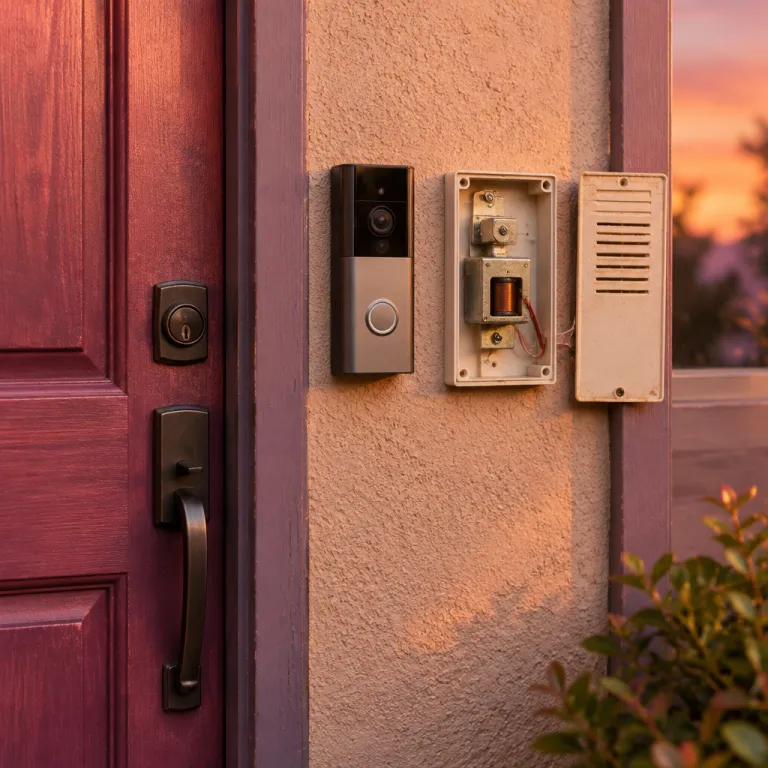
Understanding why your door bell only buzzes
What Causes a Doorbell to Only Buzz?
When your doorbell only produces a buzzing sound instead of the usual chime, it can be frustrating and confusing. This issue is common with both traditional wired doorbells and modern smart doorbells like the Ring doorbell. The buzzing sound is often a sign that something in your doorbell system isn’t working as intended. Understanding the root causes can help you troubleshoot more effectively and ensure your doorbell chime works as it should.
- Electrical issues: A buzzing sound may indicate a problem with the electrical wiring or the doorbell transformer. If the voltage isn’t correct, the doorbell chime may not get enough power to produce the right sound.
- Wiring problems: Loose or incorrectly connected wires can cause the doorbell unit to buzz. This is especially common when upgrading from a traditional doorbell to a smart video doorbell or when installing wireless doorbells.
- Compatibility concerns: Not all chimes are compatible with smart doorbells. If your chime doesn’t work with your Ring doorbell, you might hear a buzzing sound instead of a proper ring.
- Device malfunction: Sometimes, the doorbell button or the chime connector may be faulty, leading to a constant buzzing sound coming from the doorbell system.
Whether you have a wireless doorbell, a wired doorbell, or a video doorbell, these issues can affect any type of device. It’s important to check each component, from the doorbell transformer to the wires connected to the doorbell chime. If you’re unsure about the installation or troubleshooting steps, you might want to consider professional help. For more guidance on selecting the right installation service for your Ring doorbell, check out this guide to choosing a Ring doorbell installation service.
Common wiring issues with ring doorbells
How wiring problems can cause buzzing in your Ring doorbell
If your Ring doorbell or chime is only making a buzzing sound, wiring issues are often to blame. Whether you have a wired doorbell, a smart doorbell, or a video doorbell, the way wires are connected inside your doorbell system can affect how your chime and doorbell unit work.- Loose or frayed wires: Over time, wires can become loose or damaged, leading to poor electrical contact. This can cause your chime to buzz instead of producing a clear sound.
- Incorrect wiring: If the wires are not connected to the correct terminals on your doorbell button, chime, or transformer, the system may not get enough power, resulting in a buzzing sound.
- Old or incompatible chime: Traditional chimes may not be compatible with smart doorbells or wireless doorbells, especially if a chime connector is not used. This can cause issues with the sound coming from your doorbell chime.
- Wiring for wireless devices: Even some wireless doorbells require proper wiring for the chime or transformer. If these are not set up correctly, you may hear a buzzing sound instead of a ring.
What to check in your doorbell wiring
When troubleshooting a buzzing sound, start by turning off the power to your doorbell system at the breaker. Then, check the following:- Are all wires connected securely to the doorbell button, chime, and transformer?
- Is there any corrosion or damage on the wires?
- Are the wires connected to the correct terminals?
- Is your chime compatible with your Ring video doorbell or smart doorbell?
Power supply and transformer concerns
Checking Your Doorbell Power and Transformer
One of the most common reasons for a buzzing sound from your doorbell or chime is an issue with the power supply or transformer. Ring doorbells, like many smart doorbells, require a specific voltage to operate correctly. If the voltage is too low or unstable, your wired doorbell may only buzz instead of producing the expected sound.
- Voltage Requirements: Most Ring video doorbells need a transformer that supplies between 16-24V AC. If your existing doorbell transformer is below this range, the doorbell unit might not function properly, leading to a buzzing sound or no sound coming from the chime.
- Wired vs. Wireless Doorbells: Wired doorbells rely on a consistent electrical supply, while wireless doorbells use batteries or plug-in power. If you have a wired doorbell, check that the wires connected to the transformer are secure and not corroded. For wireless devices, ensure the batteries are charged or the power adapter is working.
- Transformer Age: Older transformers can degrade over time, causing inconsistent power delivery. This can result in your doorbell only buzzing or the chime not working as expected.
- Multiple Devices: If you have added several smart devices or video doorbells to your doorbell system, your transformer may be overloaded. This can cause buzzing or other power-related issues.
To troubleshoot, use a multimeter to check the voltage at the doorbell button and at the chime connector. If the voltage is outside the recommended range, replacing the transformer may resolve the issue. Always ensure power is off before handling electrical components.
For more details on the costs and considerations of upgrading your doorbell system, including transformer replacement, visit this guide on understanding the costs of Ring plans.
Compatibility between traditional chimes and ring doorbell
How Smart Doorbells Work with Traditional Chimes
Many homeowners want to keep their existing doorbell chime when upgrading to a smart doorbell like the Ring. However, not all traditional chimes are compatible with modern video doorbells. Understanding how these devices interact is crucial for troubleshooting a buzzing sound or a chime that doesn’t ring properly.
- Mechanical vs. Digital Chimes: Most wired Ring doorbells are designed to work with mechanical chimes, which use physical parts to create sound. Digital chimes, which play electronic tones, often require a special chime connector or may not be compatible at all.
- Wireless Doorbells: Wireless doorbells and chimes operate differently from wired systems. If you have a wireless chime, it may not work with a wired smart doorbell unless you use a compatible wireless receiver or bridge.
- Chime Connector: Some Ring models need a chime connector to ensure the doorbell unit and chime communicate correctly. Without it, you might hear only a buzzing sound or no sound coming from the chime.
What to Check for Compatibility
When troubleshooting a buzzing doorbell or a chime that doesn’t work, consider these steps:
- Verify if your doorbell system uses a mechanical or digital chime.
- Check if your smart doorbell model supports your chime type. The Ring website and user manual list compatible devices.
- Ensure all wires are connected securely between the doorbell button, transformer, and chime.
- If using a wireless doorbell, confirm that the receiver is compatible with smart doorbells.
- Look for any required accessories, like a chime connector, especially for digital chimes or advanced video doorbells.
Compatibility issues are a common cause of buzzing or non-functioning chimes in both wired and wireless doorbells. If you’ve checked the wiring and power supply but the buzzing sound persists, reviewing your chime’s compatibility with your Ring doorbell is an essential troubleshooting step.
Troubleshooting steps for a buzzing doorbell
Step-by-step actions to silence the buzzing sound
A buzzing sound from your doorbell or chime can be frustrating, especially with smart doorbells like Ring. Here are practical troubleshooting steps to help you identify and resolve the issue. These steps apply whether you have a wired doorbell, wireless doorbell, or a video doorbell system.- Check the power supply and transformer voltage: Ensure your doorbell transformer is providing the correct voltage for your Ring doorbell. Low or inconsistent voltage can cause the chime to buzz. Use a multimeter to test the voltage at the transformer and at the doorbell unit. Most Ring devices require 16-24V AC.
- Inspect the wiring connections: Loose or frayed wires can lead to a buzzing sound. Turn off the power at the breaker, then check that all wires connected to the doorbell button, chime, and transformer are secure and undamaged. Pay attention to the chime connector if you use one with your smart doorbell.
- Review chime compatibility: Not all traditional chimes work with smart doorbells. If your chime doesn’t stop buzzing, it may not be compatible with your Ring device. Check the manufacturer's compatibility list for your specific model.
- Test with the chime disconnected: Temporarily disconnect the chime from the system. If the buzzing stops, the issue is likely with the chime or its wiring. If the sound continues, the problem may be with the transformer or the doorbell itself.
- Check for interference with wireless doorbells: If you use wireless doorbells, ensure there are no nearby devices causing interference. Move other wireless devices away from the doorbell unit and chime to see if the buzzing sound improves.
- Reset your smart doorbell: Sometimes, a simple reset can resolve electrical glitches. Follow the manufacturer's instructions to reset your Ring video doorbell or smart doorbell.
What to look for during troubleshooting
- Listen for the type of sound coming from the chime: Is it a constant buzzing or intermittent?
- Check if the buzzing only happens when the doorbell button is pressed or all the time.
- Ensure all devices in your doorbell system are compatible and properly installed.
- For wired doorbells, confirm that the wires are not touching each other or any metal surfaces.
When to seek professional help
Signs You Need an Expert
If your doorbell only makes a buzzing sound after you’ve checked the basics—like wires connected properly, power supply, and chime compatibility—it may be time to call a professional. Here are some clear signs:- The buzzing sound persists even after you’ve tried all troubleshooting steps, including checking the doorbell transformer and ensuring the voltage is correct.
- You notice exposed or damaged wires in your doorbell system, which can pose electrical risks.
- The chime doesn’t work at all, or you hear unusual sounds coming from the doorbell unit or chime box.
- Your smart doorbell or video doorbell is not connecting to your wireless network, or the video feature fails repeatedly despite resets.
- There’s no power reaching your wired doorbell, even after replacing the doorbell button or transformer.
Why Professional Help Matters
A licensed electrician or a technician with experience in smart doorbells can:- Safely handle electrical repairs and ensure your doorbell wiring meets safety standards.
- Test your doorbell transformer and voltage to confirm your devices get the power they need.
- Advise on compatibility between your traditional chime and the latest smart doorbells or wireless doorbells.
- Install a chime connector if your video doorbell requires it for proper sound and function.
- Help with advanced troubleshooting if your doorbell system includes multiple devices or wireless components.
What to Expect During a Service Call
A professional will typically:- Check all wires connected to your doorbell unit and chime for continuity and safety.
- Test the doorbell transformer and replace it if the voltage is too low or inconsistent.
- Inspect your doorbell chime and recommend upgrades if your system is outdated or incompatible with smart devices.
- Ensure your wireless doorbell or video doorbell is properly set up and integrated with your home network.