How professional do you need to look on video calls ?
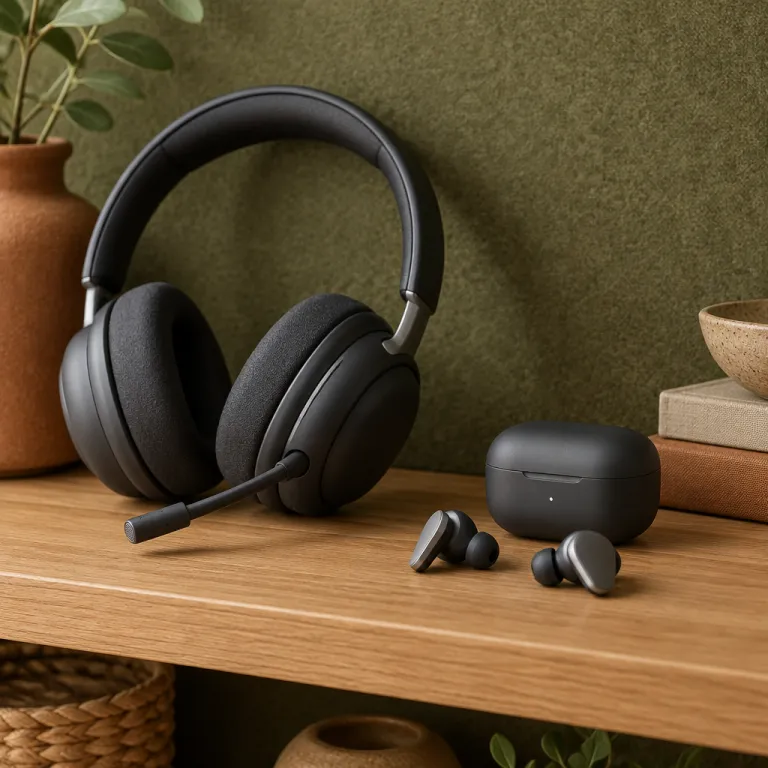
When people ask are headsets or earbuds more professional for video calls, they are really asking about perception and clarity. A visible headset with large headphones can signal that you take audio and microphone quality seriously, while tiny wireless earbuds almost disappear on camera and keep the focus on your face. The right choice depends on whether your work culture values a discreet look more than obviously professional equipment that clearly improves sound.
In formal corporate environments, a business style wireless headset with a boom mic often looks more aligned with customer support, sales or leadership roles that live in calls all day. Colleagues quickly notice when the mic on such a headset makes your voice sound full and natural, because it reduces background noise and avoids the hollow echo that makes audio quality sound bad in open offices. In creative or tech teams, though, people may see compact wireless earbuds as the best balance between style, comfort and good enough sound quality for routine video calls.
Think about how often you appear on external video calls with clients, partners or senior stakeholders. If your work involves presenting, negotiating or training, a dedicated headset with over ear headphones and a clear boom mic usually feels more authoritative and reliable than small ear headphones that can slip or lose connection. For mostly internal meetings where cameras are off or expectations are relaxed, high quality headphones earbuds or modern wireless earbuds can be better because they are lighter, less intrusive and still deliver good audio when chosen carefully.
TL;DR checklist: choose a boom mic headset if you spend hours in calls, work in noisy spaces or handle high stakes meetings; choose premium earbuds if you value a low profile look, move around a lot and your environment is reasonably quiet.
Headsets versus earbuds for sound and microphone quality
To judge are headsets or earbuds more professional for video calls, you must compare sound and microphone performance in real meetings. Over ear headphones with closed backs create a larger acoustic chamber around your ear, which usually gives richer sound and better passive noise isolation than tiny earbuds that sit in the ear canal. This fuller audio makes long calls less tiring, because you hear voices with more detail and less strain, especially when people speak softly or when the connection compresses sound.
On the microphone side, a dedicated boom mic on a wireless headset almost always beats the tiny mic ports on wireless earbuds for clarity. The boom sits closer to your mouth, so it captures your voice at a higher level than surrounding noise, which means your speech stays clear even when colleagues type, shuffle papers or when office air conditioning is loud. Models such as the Plantronics Voyager Focus, which you can explore in depth through this detailed Voyager Focus call performance guide, show how pro grade headsets combine active noise canceling with tuned microphone arrays to keep your voice intelligible in busy environments.
Earbuds have improved, especially premium options like Apple AirPods and AirPods Pro, which use beamforming mics and software processing to lift your voice above background noise. Still, when you compare microphone quality side by side, a good office headset with a boom mic usually sounds more consistent and less compressed than even the best headphones earbuds that rely on tiny internal microphones. If your role depends on sounding authoritative and avoiding any impression of sound bad or cut off speech, a professional headset remains the safer choice for most video calls.
Simple at home mic test: record a short script on your laptop or phone using your headset, then repeat with your earbuds and with the built in mic. Play the clips back through neutral speakers and ask a colleague which one sounds clearest and least noisy. Use that result as your default device for important meetings.
Noise canceling and comfort during long professional calls
Noise canceling performance strongly shapes whether headsets or earbuds feel more professional in real work situations. Over ear noise canceling headphones such as Sony WH series models, Bose QuietComfort and the newer QuietComfort Ultra headphones create a physical seal around the ear, then add active noise canceling to reduce low frequency rumble from traffic, trains or office ventilation. This combination keeps your audio clear at lower volumes, which protects hearing during long video calls and makes your voice sound more relaxed because you are not fighting background noise.
In ear headphones and wireless earbuds rely more on the fit of the ear tips plus active noise canceling algorithms, so comfort and seal become critical. Foam earbud tips can transform both comfort and isolation, which is why understanding why foam earbud tips matter for noise canceling helps you get the best from compact earbuds during long calls. When the seal is good, premium earbuds like AirPods Pro or high end Anker Soundcore wireless earbuds can rival some over ear headphones for noise reduction, but if the fit is bad the sound quality drops and outside noise leaks in, which makes you raise your voice and appear less composed on video calls.
Comfort also affects how professional you appear, because constant adjusting of ear headphones or a heavy headset distracts both you and your audience. Lightweight over ear designs such as Bose QuietComfort or QuietComfort Ultra headphones spread pressure across a wide headband and soft pads, which many people find better for multi hour calls than hard plastic earbuds. Others prefer the almost weightless feel of small headphones earbuds, but if the audio quality becomes inconsistent as they loosen, the overall impression of professionalism suffers even when the visual profile looks more discreet.
How specific models shape professional image on camera
When you ask are headsets or earbuds more professional for video calls, concrete product examples help clarify the trade offs. A classic office wireless headset with a visible boom mic, such as many business models from Poly or Jabra, instantly signals that you are equipped for serious calls and that microphone quality has been prioritized. On camera, this style can look more technical but also more reassuring to clients who associate such headsets with call centers, broadcast studios and other environments where clear audio is non negotiable.
Consumer focused noise canceling headphones like Sony WH series, Bose QuietComfort and QuietComfort Ultra headphones project a different message. They show that you care about sound quality and comfort, yet they also hint at music listening between meetings, which can feel more relaxed but still professional when the design is understated and the color is neutral rather than flashy. Gaming oriented models such as the Razer BlackShark or the BlackShark Pro with a detachable boom mic can deliver very good audio and a strong mic, but their aggressive styling may look less appropriate in conservative industries even if the technical performance is among the best headphones for calls.
On the earbud side, Apple AirPods and AirPods Pro have become almost invisible in many workplaces, and their white stems are now widely accepted on video calls. They look minimal and modern, yet in noisy spaces their microphones can struggle, which sometimes makes the audio quality sound bad compared with a dedicated office headset. Mid range options from Anker Soundcore and other brands offer wireless earbuds that balance cost and performance, but if you rely on them for high stakes video calls, test them in real conditions to ensure the sound and mic remain stable when Wi Fi networks are busy and background noise rises.
Technical factors that make one option sound more professional
Professionalism on video calls is not only about looks, it is also about technical performance that your audience can hear. The codec used by your wireless headset or wireless earbuds, such as SBC, AAC, aptX or LDAC, affects latency and audio quality, which in turn shapes how natural your voice and other participants sound. For a deeper dive into how these codecs influence sound and stability, you can read this analysis of the Bluetooth codec debate for Android devices, then match your headphones or earbuds to the devices you use for work.
Microphone design matters just as much as codec choice when you compare are headsets or earbuds more professional for video calls. A boom mic on a wireless headset usually isolates your voice better than the pinhole mics on wireless earbuds, because it sits closer to your mouth and can use directional pickup patterns to reject side noise. Some ultra headphones and newer headphones gen models add multiple microphones with beamforming and advanced noise reduction, which can make your voice sound more present and less distant, especially in echoey rooms with hard surfaces.
Gaming headsets like the Razer BlackShark or BlackShark Pro often include strong microphones tuned for team chat, and when used in neutral colors they can double as good work tools if you do not mind the gamer aesthetic. However, if the sound profile is heavily boosted in the bass for explosions and music, voices on video calls may feel less natural, so you should adjust equalizer settings to keep speech clear and avoid any impression of sound bad or muffled. Whether you choose headphones, ear headphones or compact headphones earbuds, always run test calls and recordings to confirm that your audio, microphone quality and noise handling meet the expectations of your role.
Practical recommendations for different professional scenarios
To decide are headsets or earbuds more professional for video calls in your specific situation, start by mapping your typical workday. If you spend several hours in back to back calls with clients or manage a support team, a dedicated wireless headset with over ear headphones, strong noise canceling and a clear boom mic will almost always be the best and most reliable option. This setup keeps your sound quality consistent, your voice clear and your focus on the conversation rather than on adjusting earbuds or troubleshooting audio.
For hybrid workers who move between home, office and travel, a versatile pair of noise canceling headphones such as Sony WH series, Bose QuietComfort or QuietComfort Ultra headphones can be better. These models handle music, flights and open plan offices while still delivering good microphone quality for video calls, especially when paired with laptops and phones that support modern codecs and stable Bluetooth connections. If you prefer a lighter feel, premium wireless earbuds like AirPods Pro or high end Anker Soundcore models can serve as compact all rounders, but you should accept that in very noisy environments they may not match the full control of a pro grade headset.
For occasional callers who mostly send emails or work on documents, comfortable ear headphones or discreet headphones earbuds may be more than enough, as long as the audio remains clear and the mic does not make your voice sound bad or distant. In every case, professionalism comes from preparation, so test your setup before important video calls, keep firmware updated on your headphones gen or ultra headphones, and choose neutral colors that do not distract on camera. When your equipment quietly supports your message with stable sound, low noise and reliable microphone performance, both headsets and earbuds can look and feel professional, but the right match depends on your role, environment and personal comfort.
Key statistics about professional audio for video calls
- Industry surveys from major collaboration tool vendors consistently report that employees using dedicated headsets with boom microphones are rated as having clearer audio on video calls than those relying on built in laptop microphones.
- Usage data shared by large video conferencing platforms suggests that background noise suppression features are associated with lower reported meeting fatigue among frequent callers, highlighting how noise control in headphones and wireless earbuds directly affects professional comfort.
- Market analyses from firms such as IDC have found that over ear noise canceling headphones and business headsets account for a significant share of enterprise audio spending, reflecting company preferences for reliable microphone quality and consistent sound in customer facing roles.
- Consumer satisfaction studies, including research by J.D. Power, indicate that users of premium models like Bose QuietComfort and Sony WH series often report higher satisfaction with both sound quality and comfort during long calls than users of entry level wireless earbuds.
- Internal IT support reports from large organizations frequently show that switching staff from laptop microphones to standardized wireless headset models reduces audio related help desk tickets, which translates into fewer disruptions during critical video calls.
FAQ: choosing between headsets and earbuds for professional calls
Are headsets or earbuds generally more professional for business video calls ?
For most business environments, a dedicated headset with over ear headphones and a boom mic is perceived as more professional because it delivers clearer audio and more consistent microphone quality. Earbuds can still look professional, especially premium models like AirPods Pro, but they may struggle more with background noise and battery life during long calls. Your choice should match your role, call frequency and the noise level of your workspace.
Do noise canceling headphones really improve how I sound on calls ?
Noise canceling mainly affects what you hear, yet it indirectly improves how you sound because you do not need to raise your voice to overcome background noise. Many noise canceling headphones and some wireless earbuds also use their microphones to filter out ambient sounds, which makes your speech clearer to others. The combination of passive isolation, active noise canceling and smart microphone processing creates a more controlled audio environment that feels more professional.
Can gaming headsets like the Razer BlackShark Pro work for professional meetings ?
Gaming headsets such as the Razer BlackShark or BlackShark Pro often have very good microphones and comfortable designs, so technically they can be excellent for video calls. The main concern is visual style, because bold colors and aggressive shapes may not fit conservative corporate cultures. If you choose a gaming headset, pick a neutral color and adjust the sound profile so voices remain natural rather than heavily bass boosted.
Are wireless earbuds reliable enough for all day remote work calls ?
Modern wireless earbuds from brands like Apple and Anker Soundcore can handle several hours of calls, but battery life and comfort may become issues in full day schedules. Over ear wireless headset models usually offer longer continuous use, more stable connections and better noise isolation, which reduces fatigue in noisy environments. If you rely on earbuds, keep the charging case nearby and test fit with different tips to maintain both comfort and sound quality.
What is the single most important factor for sounding professional on video calls ?
The most important factor is microphone quality, because people will forgive average sound quality in their own headphones more easily than muffled or distorted speech from you. A clear, close microphone such as a boom mic on a good wireless headset usually provides the most reliable results. Combine that with stable connectivity and reasonable noise control, and your voice will project confidence and professionalism in almost any video call scenario.