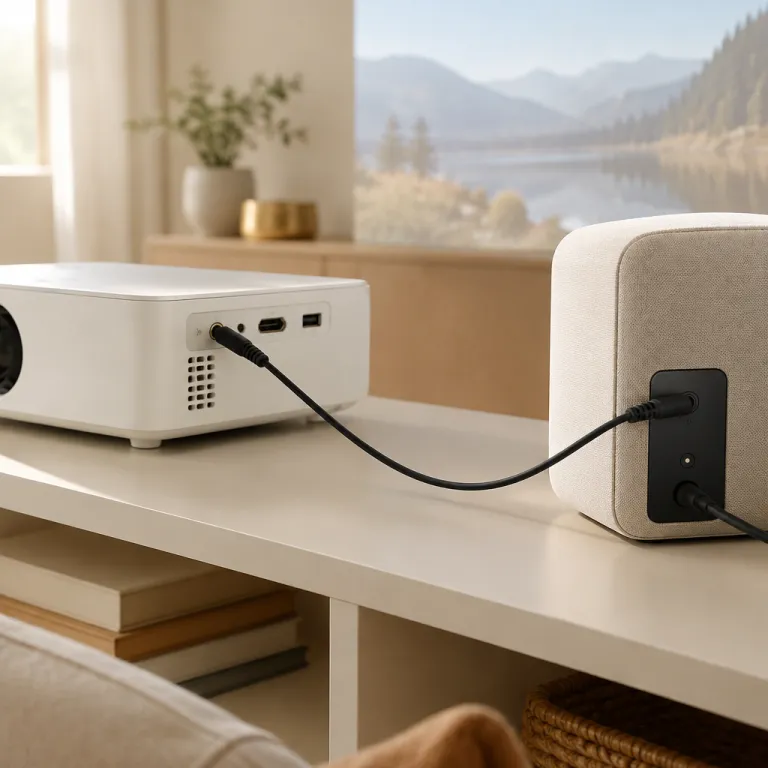
Understanding the role of a 3.5mm audio cable in home theater projectors
Why 3.5mm Connectors Matter in Home Theater Setups
When setting up a home theater projector, audio quality can make or break the experience. While projectors are known for their impressive visuals, their built-in speakers often fall short. This is where a 3.5mm audio cable, also called an aux cable or stereo audio cable, becomes essential. The 3.5mm connector—found on most projectors, speakers, headphones, and even car stereos—serves as a universal bridge between your projector and external audio devices.
- Versatility: The 3.5mm stereo male connector is compatible with a wide range of audio devices, from powered speakers to soundbars and even older car stereos. This makes it easy to upgrade your projector’s sound without needing specialized cables.
- Simple Connection: Plugging a male-to-male aux cable from your projector’s headphone or audio out port to your speaker’s aux input is straightforward. No need for complex adapters or expensive equipment.
- Affordable and Accessible: Compared to other audio cables like RCA or USB, 3.5mm aux cables are widely available, budget-friendly, and come in various lengths and qualities. Many products feature fully molded strain relief for durability, and cable reviews often highlight their reliability for home theater use.
It’s important to note that not all 3.5mm cables are created equal. The quality of the cable, including features like gold-plated connectors or reinforced strain relief, can impact the overall cable sound and durability. Reading cable reviews and comparing items by price and build quality can help you find the right product for your setup.
For those looking to further enhance their home theater sound, integrating a dedicated center speaker can make a significant difference. Learn more about the role of a home theater center speaker and how it complements your audio setup.
Common audio challenges with home theater projectors
Why projector audio often disappoints
Many home theater projectors come with built-in speakers, but these are usually small and lack the power to deliver immersive sound. The compact design of projectors means there’s little room for high-quality speaker components, so audio often sounds thin or tinny. This is a common frustration for users who expect a cinema-like experience at home.
Typical audio connection limitations
Projectors often provide only basic audio outputs, such as a 3.5mm aux connector or sometimes RCA jacks. While these options are universal, they can limit your ability to connect to higher-end audio devices or stereo systems. Some projectors may not even have a dedicated audio output, making it tricky to connect external speakers or a car stereo system for better sound quality.
- Auxiliary (aux) input: Widely used for connecting smartphones, tablets, or laptops, but may not always support the best stereo audio quality.
- RCA connectors: Common in older audio devices and car stereos, but less convenient for modern setups.
- USB ports: Sometimes available, but not always compatible with audio cables or stereo aux connections.
Common sound issues with projectors
Users often report problems like low volume, lack of bass, or audio lag when using the built-in speaker or basic cable connections. Reviews of many projector products mention that the included audio cable or stereo male-to-female adapter doesn’t always deliver the expected cable sound quality. Strain relief and fully molded connectors can help, but not all aux cables are built to last, especially with frequent plugging and unplugging.
Why external speakers matter
To get the most out of your home theater, connecting your projector to a dedicated speaker system or sound bar is essential. This upgrade can transform your movie nights, making dialogue clearer and action scenes more impactful. If you’re considering mounting a sound bar with your TV for a seamless setup, check out this guide on how to seamlessly mount your sound bar with your TV for tips that also apply to projector setups.
Choosing the right cable for your setup
With so many audio cables, aux cables, and stereo audio options on the market, it’s important to look at cable reviews and product quality before making a purchase. Consider the price, durability, and compatibility with your audio devices. Whether you need a male stereo to female adapter, a trs cable, or a high-quality auxiliary cable, investing in the right items can make a noticeable difference in your home theater experience.
Connecting your projector to speakers using a 3.5mm audio cable
Step-by-step: Linking your projector to external speakers
Connecting your home theater projector to external speakers using a 3.5mm audio cable is a straightforward process, but a few details make a big difference in sound quality and reliability. Here’s how you can get the most out of your setup:- Identify the audio output: Most projectors have a 3.5mm aux output, sometimes labeled as "audio out" or "headphone." This is where you’ll plug in your stereo male cable.
- Choose the right cable: For best results, use a high-quality stereo audio cable with fully molded connectors and strain relief. This ensures a secure connection and reduces the risk of signal loss or interference. If your speakers use RCA inputs, you’ll need a 3.5mm to RCA male adapter cable.
- Connect to your speakers: Plug the male stereo end of the cable into the projector’s aux output. Connect the other end to your speaker’s aux input, RCA input, or even a car stereo if you’re using portable audio devices. Some powered speakers and soundbars also support USB or auxiliary connections.
- Check compatibility: Not all projectors or speakers support every type of cable. Review your product’s manual or online cable reviews to confirm compatibility with stereo aux, audio aux, or other connectors.
- Secure your connections: Ensure all cables are firmly inserted. Loose connections can cause crackling, loss of stereo sound, or intermittent audio dropouts.
Tips for optimizing your cable sound
- Use shorter aux cables for better audio quality and less signal degradation.
- Look for cables with gold-plated connectors for improved durability and signal transfer.
- Consider cable price versus quality—sometimes, mid-range items offer the best value for home theater setups.
- If you need to extend your cable run, use a female-to-male extension, but keep total length reasonable to avoid signal loss.
Benefits of using a 3.5mm audio cable for home theater sound
Why a 3.5mm Audio Cable Makes a Noticeable Difference
When setting up a home theater projector, the quality of your audio connection can make or break the overall experience. A 3.5mm audio cable, often called an aux cable or stereo audio cable, is a straightforward yet effective way to connect your projector to external speakers or audio devices. Here’s how this simple connector can elevate your movie nights and presentations:
- Universal Compatibility: Most projectors, speakers, car stereos, and even older audio devices feature a 3.5mm aux input or output. This means you can use the same cable for a variety of products, from smartphones tablets to car audio systems, making it a versatile addition to your setup.
- Stereo Sound Quality: A good quality stereo male to stereo female cable delivers clear left and right channel separation. This enhances immersion, especially when compared to built-in projector speakers, which often lack depth and clarity.
- Affordability and Availability: Compared to specialized cables like RCA or USB audio adapters, 3.5mm aux cables are widely available at a reasonable price. You can find a range of items, from basic auxiliary cables to fully molded, strain relief models designed for durability.
- Simple Setup: Connecting a 3.5mm cable is as easy as plugging the male connector into your projector’s headphone or audio out port and the other end into your speaker or amplifier. There’s no need for complex configuration or additional adapters in most cases.
- Portability: Aux cables are lightweight and compact, making them easy to carry if you move your projector between rooms or use it in different locations, such as a car or outdoor setup.
What to Look for in a 3.5mm Cable
Not all audio cables are created equal. When choosing a product, consider the following:
- Build Quality: Look for cables with strain relief and fully molded connectors to prevent damage from frequent plugging and unplugging.
- Length: Make sure the cable is long enough to reach your speaker setup without stretching, but not so long that it introduces signal loss.
- Connector Type: Some setups may require a stereo male to RCA male or female adapter, depending on your speaker’s input.
- Reviews: Check cable reviews for feedback on sound quality and durability. Poorly made cables can introduce static or degrade audio performance.
In summary, a reliable 3.5mm stereo aux cable is a cost-effective way to boost your projector’s audio output. Whether you’re connecting to a car stereo, home speakers, or portable audio devices, the right cable ensures you get the most out of your home theater sound.
Troubleshooting audio issues with 3.5mm connections
Pinpointing and Fixing Common Audio Cable Problems
When using a 3.5mm audio cable to connect your home theater projector to external speakers or audio devices, you might run into a few typical issues. Here’s how to identify and resolve them, ensuring you get the best stereo sound quality from your setup.- No Sound or Intermittent Audio: First, check that the cable is fully inserted into both the projector’s aux output and the speaker or headphone input. A loose connector, especially with stereo male or female jacks, is a frequent culprit. Try unplugging and reconnecting the cable to ensure a secure fit.
- Distorted or Crackling Sound: This can be caused by a damaged cable or poor-quality auxiliary connectors. Inspect the cable for visible wear, kinks, or frayed ends. If your cable isn’t fully molded or lacks proper strain relief, it’s more prone to damage. Swapping in a different aux cable or testing with another audio device can help isolate the problem.
- Mono Instead of Stereo Audio: Make sure you’re using a stereo audio cable (TRS: Tip-Ring-Sleeve) rather than a mono cable. Stereo aux cables have two black rings on the male connector, while mono has just one. Using the wrong cable can limit your sound to a single channel.
- Unwanted Hum or Buzz: This often points to a grounding issue or interference from nearby electronics. Try moving your cable away from power adapters or USB devices. Using a higher-quality, shielded audio cable can also help reduce interference and improve overall cable sound.
- Compatibility Issues: Some projectors or speakers may require a specific connector type, such as RCA male or female, instead of a standard 3.5mm aux input. In these cases, an adapter or a dedicated RCA-to-aux cable may be necessary. Always check product reviews and specifications before purchasing new cables or items for your setup.
Alternatives to 3.5mm audio cables for projector setups
Exploring Other Audio Connection Options
While a 3.5mm audio cable is a popular choice for connecting projectors to speakers or audio devices, it’s not the only option available. Depending on your setup, preferences, and the devices you own, you might find other cables or connectors more suitable for your home theater needs. Here’s a look at some common alternatives and how they compare:
- RCA Cables: RCA connectors are widely used for stereo audio. They typically come in red and white pairs for left and right channels. RCA male connectors plug into compatible female ports on speakers or amplifiers. Many users appreciate RCA for its reliable stereo sound and compatibility with older audio equipment.
- Optical (Toslink) and Coaxial Digital Audio: These cables transmit digital audio signals, offering higher quality and less interference than analog cables. Optical cables use light to transfer data, making them immune to electrical noise. However, not all projectors or speakers have these ports, so check your product specifications.
- HDMI: HDMI cables carry both video and audio signals in a single cable. If your projector and audio devices support HDMI ARC (Audio Return Channel), you can simplify your setup and enjoy high-quality sound. HDMI is especially useful for modern home theater systems, but may not be compatible with all older speakers or car stereos.
- USB Audio: Some projectors and speakers support audio over USB. This can be handy for connecting to smartphones, tablets, or computers. USB audio cables can also power certain portable speakers, making them a versatile choice for various audio devices.
- Bluetooth and Wireless Solutions: For those seeking a cable-free setup, Bluetooth adapters or wireless speakers can eliminate the need for physical cables. While convenient, wireless audio may introduce latency or compression, which can affect sound quality compared to a direct stereo aux cable connection.
When choosing between these alternatives, consider the quality of the audio cable, the type of connector (male or female), and the compatibility with your existing equipment. Cable reviews often highlight the importance of strain relief and fully molded connectors for durability, especially if you plan to move your items frequently or use them in a car stereo setup.
Price and product availability can also influence your decision. While 3.5mm aux cables are affordable and easy to find, specialty cables like optical or high-end HDMI may come at a higher price point. Always check reviews to ensure the cable sound quality meets your expectations, whether you’re connecting to a headphone jack, aux input, or stereo audio system.