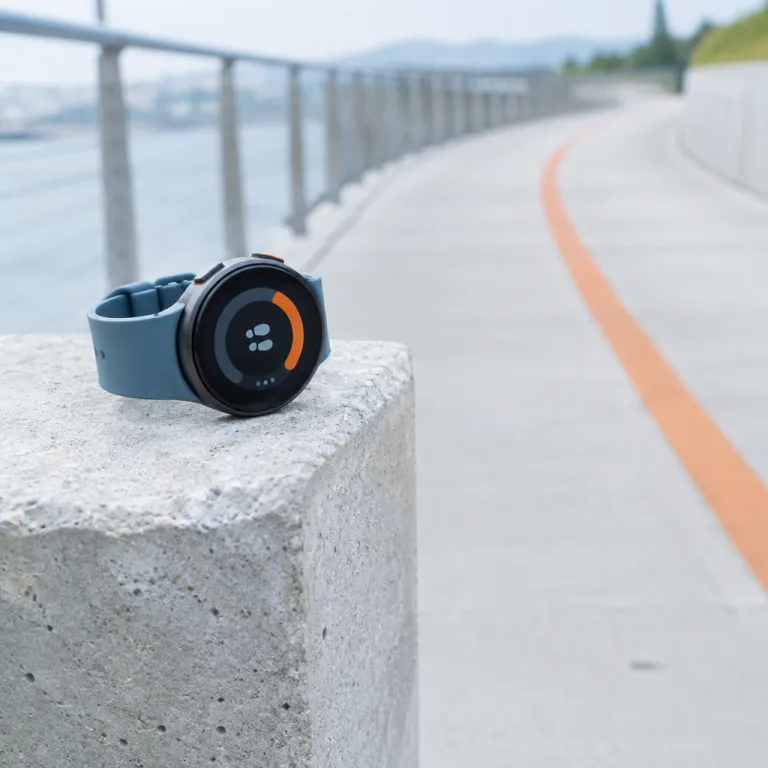
Understanding step tracking technology
How Step Tracking Works in Modern Watches
Step tracking technology has become a core feature in most fitness trackers and smart watches. These devices use built-in sensors, mainly accelerometers, to detect motion and count steps throughout the day. When you move your arm or walk, the device senses the movement pattern and translates it into step counts. Some advanced models, like the Apple Watch, Samsung Galaxy Watch, and Fitbit Inspire, combine this with gyroscopes and heart rate sensors for more accurate tracking.
Beyond Steps: What Else Is Tracked?
While counting steps is the main function, many watches also monitor other aspects of your health and fitness. Features like heart rate tracking, sleep monitoring, and calories burned are now standard. This means your device can give you a fuller picture of your daily activity and overall health. For example, a fitness tracker might show your step count, how many calories you’ve burned, and your heart rate trends during workouts or throughout the day.
Why Accuracy Matters
Accurate step tracking is essential if you want to set realistic fitness goals and measure your progress. Factors like how you wear your watch, the sensitivity of the sensors, and the algorithms used can all affect step counts. Some users notice differences between brands or even between models from the same brand. Reading customer reviews and expert opinions can help you find the best device for your needs.
- Most fitness trackers and smart watches display your step count in real time, making it easy to check your progress.
- Battery life varies by device, with some offering several days battery on a single charge.
- Popular models like the Apple Watch, Galaxy Watch, and Fitbit Inspire are known for reliable step and heart rate tracking.
If you want to dive deeper into how these devices track steps and other fitness metrics, check out this guide on finding the ultimate activity tracker for your needs.
Key features to look for in a step-counting watch
Essential Elements for Reliable Step Tracking
When searching for the best watch to count your steps, it’s important to focus on features that truly impact accuracy and usability. Not all fitness trackers or smart watches are created equal. Here are the main aspects to consider when evaluating a device for step tracking:
- Step Counter Accuracy: The core function is to track steps reliably throughout the day. Look for watches with proven step tracking technology, such as those found in the Fitbit Inspire, Apple Watch, or Samsung Galaxy Watch series. Customer reviews and expert ratings can offer insight into real-world step count accuracy.
- Heart Rate Monitoring: Integrated heart rate sensors help the device distinguish between different activities, improving the accuracy of steps and calories burned. Heart rate tracking is also valuable for monitoring overall health and fitness progress.
- Battery Life: Consider how many days the device can last on a single charge. Some fitness trackers offer up to a week or more of battery life, while advanced smart watches may need daily charging. Longer battery life means you can track steps and sleep without frequent interruptions.
- Display and Ease of Use: A clear, easy-to-read display makes it simple to check your step count, heart rate, and other stats at a glance. Touchscreens and intuitive interfaces enhance the user experience, especially during workouts or daily activity.
- Activity and Sleep Tracking: Many step-counting watches also track sleep, calories burned, and other fitness metrics. This all-in-one approach helps you get a fuller picture of your health and activity patterns.
- Water Resistance: If you plan to wear your watch during all activities, including swimming or showering, water resistance is a must-have feature.
- Compatibility: Make sure the device syncs easily with your smartphone and preferred health apps. Some watches work best within their own ecosystem, like the Apple Watch with iPhones or the Galaxy Watch with Samsung devices.
For a deeper dive into how smartwatches can enhance your fitness journey, check out this guide on making the most of wearable technology.
| Feature | Why It Matters | Popular Devices |
|---|---|---|
| Step Counter | Tracks steps and daily activity | Fitbit Inspire, Apple Watch, Galaxy Watch |
| Heart Rate Tracking | Improves step and calorie accuracy | Apple Watch, Galaxy Watch, Fitbit |
| Battery Life | Longer use between charges | Fitbit Inspire (up to 10 days), Galaxy Watch (multiple days) |
| Display | Easy access to stats and notifications | Apple Watch, Galaxy Watch |
| Sleep Tracking | Monitors rest and recovery | Fitbit, Galaxy Watch |
Choosing a watch with these features will help you track steps, monitor your health, and get the most from your fitness tracker every day.
Comparing popular step-counting watches
Comparing Top Step-Counting Watches: What Sets Them Apart?
When it comes to tracking steps and monitoring your daily activity, several smart watches and fitness trackers stand out. Each device offers unique features, display options, and health tracking capabilities. Here’s a closer look at some of the most popular choices, based on expert analysis and customer reviews.- Apple Watch Series
Known for its seamless integration with iOS devices, the Apple Watch tracks steps, heart rate, sleep, and calories burned. Its display is bright and easy to read, and it offers advanced fitness features like heart rate tracking and activity rings. Battery life typically lasts about a day, which is shorter than some competitors. If you’re curious about using an Apple Watch with an Android device, you can find more details in this guide to connecting Apple Watch to Android. - Samsung Galaxy Watch Series
The Galaxy Watch is a strong contender for Android users, offering accurate step counting, sleep tracking, and heart rate monitoring. Its display is vibrant, and the device often boasts multiple days battery life. The Galaxy Watch also supports a wide range of fitness tracking features, making it a versatile choice for those who want to track steps and more. - Fitbit Inspire and Other Fitbit Models
Fitbit devices are well-known for their simplicity and focus on health. The Fitbit Inspire, for example, tracks steps, sleep, calories burned, and heart rate. Many users appreciate the easy-to-use interface and long battery life, which can last several days. Fitbit’s app provides clear insights into your step counts and overall activity.
| Device | Step Tracking | Heart Rate | Sleep Tracking | Battery Life | Display | Customer Reviews (Stars) |
|---|---|---|---|---|---|---|
| Apple Watch | Yes | Yes | Yes | ~1 day | High-res, color | 4.7 |
| Samsung Galaxy Watch | Yes | Yes | Yes | 2-4 days | AMOLED | 4.5 |
| Fitbit Inspire | Yes | Yes | Yes | Up to 10 days | Monochrome, easy to read | 4.4 |
How to set up your watch for accurate step tracking
Getting Your Step Counter Ready
Setting up your smart watch or fitness tracker for accurate step tracking is essential if you want reliable step counts and health insights. Whether you use a Fitbit Inspire, Apple Watch, Samsung Galaxy Watch, or another device, a few simple steps can help you get the most out of your step counter and other fitness features.
- Wear Your Device Correctly: Make sure your watch fits snugly on your wrist, just above the wrist bone. A loose fit can cause missed steps or inaccurate heart rate tracking.
- Set Up Your Profile: Enter your height, weight, age, and dominant hand in the device settings. This helps the watch estimate your stride length and calories burned more accurately.
- Enable Step Tracking: Most smart watches and fitness trackers have step tracking enabled by default, but double-check in the settings. Some devices let you customize activity goals, like daily step count or calories burned.
- Sync Regularly: Sync your device with its companion app (like Fitbit, Apple Health, or Samsung Health) to keep your data up to date and review your daily activity, sleep, and heart rate trends.
- Update Firmware: Manufacturers release updates to improve tracking accuracy and add new features. Check for updates in your device app to keep your watch running smoothly.
Tips for Accurate Step Tracking
- Choose the Right Wrist: If you switch wrists, update your settings. Some devices track steps differently depending on which hand you use.
- Calibrate Your Device: Some smart watches, like the Apple Watch, let you calibrate step tracking by walking a known distance. This can improve accuracy, especially if you have a unique walking style.
- Monitor Battery Life: Low battery can affect tracking. Charge your device regularly to avoid missing steps, sleep, or heart rate data.
Following these steps will help your smart watch or fitness tracker deliver the best possible results, whether you’re tracking steps, monitoring your heart rate, or analyzing your sleep. Customer reviews often highlight the importance of setup for accurate tracking, so take a few minutes to get your device ready for each day’s activity.
Common issues and troubleshooting tips
Why Your Step Count Might Be Off
Even the best fitness trackers and smart watches can sometimes show step counts that don’t match your actual activity. This can be due to how the device detects movement, the way you wear your watch, or even certain features being turned off. For example, if your watch is loose on your wrist, it might miss some steps or count extra ones when you move your arm for something other than walking.
Common Problems and Quick Fixes
- Step counter not tracking steps: Make sure your device is snug on your wrist and that step tracking is enabled in the settings. Some watches, like the Fitbit Inspire or Galaxy Watch, need to be worn on your non-dominant hand for best accuracy.
- Inaccurate step counts: Check for software updates. Brands like Apple and Samsung regularly improve their algorithms for better step and heart rate tracking. Restarting your device can also help reset sensors.
- Battery life issues: If your watch’s battery drains quickly, try turning off features you don’t use, like always-on display or continuous heart rate monitoring. This can help your device last for days between charges.
- Syncing problems: If your step data isn’t showing up in your fitness app, check your Bluetooth connection and make sure your watch and phone are both updated. Sometimes, simply re-pairing the devices solves the issue.
Tips for Reliable Tracking
- Wear your watch consistently, especially during your main activity times each day.
- Keep your device clean and dry for accurate heart rate and sleep tracking.
- Review customer reviews for your specific model to see if others have similar issues and how they solved them.
- Use the calibration or personal profile features to enter your height and stride length for more precise step counts and calories burned estimates.
When to Contact Support
If your smart watch or fitness tracker continues to have problems with tracking steps, sleep, or heart rate, reach out to the manufacturer’s support. Devices like the Apple Watch, Fitbit, and Samsung Galaxy Watch have dedicated help centers and warranty options. Don’t hesitate to use these resources if your device isn’t performing as expected, especially if you rely on it for your daily health and activity goals.
Making the most of your step data
Getting More from Your Step Data
Once your smart watch or fitness tracker is set up and tracking steps accurately, it’s time to use that information to improve your health and fitness. Step counts are more than just numbers—they can motivate you to move more, set realistic goals, and monitor your progress over time. Many devices, like the Fitbit Inspire, Apple Watch, and Galaxy Watch, display your daily activity in easy-to-read charts, making it simple to spot trends and celebrate milestones.
Integrating Step Tracking with Other Health Metrics
Most modern fitness trackers do more than just count steps. They also track sleep, heart rate, and calories burned, offering a complete picture of your daily activity. By comparing your step data with sleep quality and heart rate tracking, you can identify patterns that affect your overall health. For example, you might notice that on days with higher step counts, your sleep improves or your resting heart rate drops. This holistic approach helps you make informed decisions about your activity and rest.
Setting and Adjusting Goals
- Start with a realistic daily step goal—many devices suggest 10,000 steps, but you can adjust this based on your fitness level.
- Use your device’s features to set reminders to move if you’ve been inactive for a while.
- Track your progress over days or weeks to see if you’re meeting your goals. If you consistently hit your targets, consider increasing your daily step count for an extra challenge.
Comparing Your Progress
Many smart watches and fitness trackers let you compare your activity with friends or the wider community. This can be motivating, especially if you enjoy a bit of friendly competition. Customer reviews often mention how sharing step counts with others helps them stay accountable and engaged. Some devices even award stars or badges for reaching milestones, adding a fun element to tracking steps.
Maximizing Battery Life for Continuous Tracking
To make the most of your step tracking, ensure your device has enough battery life to last through the day. Devices like the Fitbit Inspire and some Galaxy Watch models offer multiple days battery, so you don’t miss any activity data. Remember to charge your device regularly, especially if you use features like heart rate tracking or sleep monitoring, which can drain the battery faster.
Using Step Data to Improve Your Health
- Review your step counts alongside other metrics like calories burned and heart rate to get a full picture of your fitness.
- Adjust your daily routine based on your activity trends—if you notice low step days, plan extra walks or activities.
- Use your device’s display to check your progress throughout the day, making it easy to stay on track.
By making the most of your step data, you can turn your smart watch or fitness tracker into a powerful tool for better health and fitness.