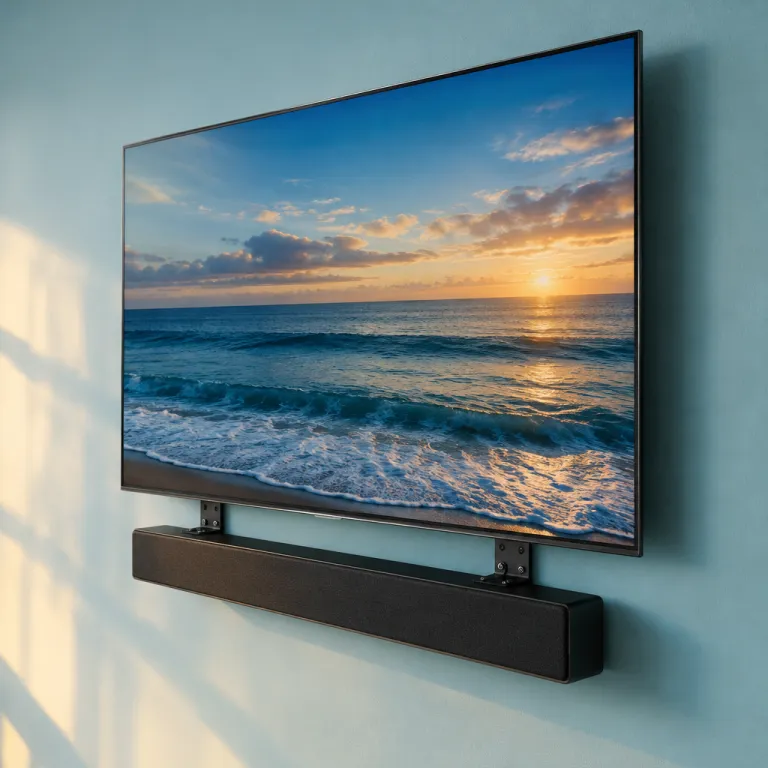
Understanding the benefits of mounting a soundbar on your tv
Why mounting your soundbar on your TV elevates your home theater
Mounting a soundbar directly on your TV is more than just a style choice. It’s a practical way to enhance your home theater experience, especially if you’re aiming for a clean, immersive setup. When you mount a soundbar, you’re not only saving space but also ensuring that sound is directed right where you want it—toward your seating area. This can make a noticeable difference in audio clarity and dialogue, especially compared to placing the bar on a shelf or TV stand.- Space-saving: Wall mounting or using a universal soundbar mount frees up valuable surface area. This is great for smaller rooms or minimalist designs.
- Improved audio alignment: When the soundbar is mounted just below or above your TV, sound travels more directly to your ears, creating a more cohesive audio-visual experience.
- Cleaner look: A mounted soundbar, especially with a bracket that matches your TV’s width, gives your setup a professional, uncluttered appearance.
- Flexibility: Many mounts offer full motion or adjustable features, letting you angle the bar for optimal sound.
- Easy integration: Mounting makes it simpler to connect your soundbar with other home theater components, like your projector or subwoofer, for a seamless system.
Choosing the right soundbar mount for your setup
Key factors to consider when selecting your soundbar mount
Choosing the right soundbar mount is crucial for both performance and safety. The market offers a wide range of mounting brackets and bar mounts, so it’s important to match your soundbar and TV setup with a compatible product. Here are some essential points to keep in mind:
- Compatibility: Check if the mount works with your specific sound bar model and TV. Universal soundbar mounts are designed to fit most brands, but always verify the mounting holes and bracket size before purchase.
- Mounting style: Decide between a wall mount or a bracket that attaches directly to your TV. Wall mounts can free up space and create a clean look, while TV-attached mounts keep the bar close to your screen for a more integrated appearance.
- Build quality: Look for sturdy materials and reliable construction. A great mounting bracket should support the weight of your soundbar and withstand daily use. Customer reviews are a valuable resource for assessing durability and ease of install.
- Adjustability: Some mounts offer full motion or tilt features, allowing you to direct sound more effectively. This can be especially useful if your seating area isn’t directly in front of the TV.
- Price and value: Compare the unit price and features. Many reputable brands offer free shipping and free returns in the United States, which can add value to your purchase. Regular price versus sale price is also worth considering.
Reading customer reviews and star ratings can help you identify which mounts are easy to install and perform well in real-world setups. If you’re aiming for a dream soundbar experience, prioritize mounts that have consistently positive feedback regarding stability and sound quality.
For those integrating a soundbar with a home theater projector, understanding how your soundbar and subwoofer interact is essential for optimal audio. Learn more about the role of a subwoofer in your home theater projector setup to ensure your mounting choice supports the best possible sound.
Step-by-step guide to installing a soundbar mount on your tv
Preparing Your TV and Soundbar for Mounting
Before you start, make sure your TV and soundbar are compatible with your chosen mount. Check the mounting holes on both devices, and read the product manual for any specific requirements. Many universal soundbar mounts are designed to fit a wide range of models, but verifying compatibility is essential for a secure installation. If your soundbar or TV is particularly heavy, look for a mounting bracket with a high star rating and positive customer reviews regarding stability.Gathering the Right Tools and Materials
Having the right tools on hand makes the process much easier. Most bar mounts include the necessary screws and hardware, but you may need a screwdriver, a drill, a level, and possibly a stud finder if you plan to wall mount the unit. Some mounts, like the Mounting Dream soundbar mount, come with clear instructions and even offer free returns in the United States if the product doesn’t fit your setup.Step-by-Step Installation Process
- Attach the Bracket: Secure the mounting bracket to your soundbar using the provided screws. Make sure the bracket is aligned with the mounting holes on the bar for a snug fit.
- Connect to the TV: Position the soundbar mount so it lines up with the TV’s VESA holes. Many mounts are designed to fit behind the TV, using the same mounting points as your wall mount or TV stand. Tighten the screws, but avoid overtightening to prevent damage.
- Adjust for Best Fit: Some bar mounts offer full motion adjustment, letting you tilt or swivel the soundbar for optimal sound direction. Use a level to ensure the bar is straight and sits flush with the TV.
- Test Stability: Gently tug on the soundbar to confirm the mount works as intended and the bar is secure. If you notice any wobbling, double-check the screws and mounting bracket alignment.
Tips for a Smooth Installation
- Choose a mount with free shipping and a reasonable unit price to get the best value.
- Read customer reviews to learn about real-world experiences with the product, especially regarding ease of install and durability.
- If you’re mounting on a wall, ensure the wall can support the combined weight of the TV and sound bar.
- Keep the area free of clutter to avoid accidents during installation.
Connecting Your Soundbar to Your Home Theater Projector
Once your soundbar is mounted, you’ll want to connect it to your home theater projector for a seamless audio-visual experience. Using an HDMI digital modulator can simplify this process and improve signal quality. For a detailed guide on integrating your soundbar with your projector, check out this resource on how an HDMI digital modulator transforms your home theater projector experience.Optimizing sound quality with your mounted soundbar
Finding the Sweet Spot for Your Soundbar
Once your soundbar is securely mounted, the next step is to make sure you are getting the best possible sound quality. Placement matters. Ideally, the sound bar should be centered under or above your TV, with the mounting bracket keeping it flush against the wall or TV. This helps direct sound toward your listening area and avoids muffling.
Fine-Tuning for Room Acoustics
Every room is different. If your soundbar mount allows for full motion or angle adjustments, experiment with tilting the bar slightly toward your main seating area. This can make a big difference, especially in larger rooms or those with high ceilings. Universal soundbar mounts often offer this flexibility, and customer reviews frequently mention how easy it is to adjust these mounts for the best sound.
Checking for Obstructions
Make sure nothing blocks the soundbar’s speakers. Avoid placing objects directly in front of the bar or mounting it inside a cabinet. Wall mounting is a great way to keep the soundbar free from obstructions, and many bar mounts are designed to keep the bar a few inches away from the wall for optimal sound dispersion.
Using Your Soundbar’s Features
- Explore your soundbar’s audio settings. Many products offer modes for movies, music, or dialogue enhancement.
- Some soundbars come with a calibration microphone or app. Use these tools to automatically adjust the sound for your room.
- Check if your mount works with your soundbar’s remote sensor. Some mounting brackets can block the IR sensor, so read customer reviews or the product manual if you notice issues.
Evaluating Performance and Making Adjustments
After installation, play a variety of content and listen from your main seating position. If the sound feels off, try adjusting the mounting holes or repositioning the bar. Many bar wall mounts and mounting dream soundbar brackets offer free returns or free shipping in the United States, so if the unit price or product does not meet your expectations, you can often exchange it easily.
Finally, check online reviews for your specific soundbar mount. Customers often share tips about installation, mounting, and optimizing sound quality. This feedback can be invaluable for getting the most out of your setup and achieving your dream home theater experience.
Troubleshooting common issues with soundbar mounts
Common mounting challenges and how to fix them
Mounting a soundbar on your TV can be a great way to streamline your home theater setup, but sometimes things don’t go as smoothly as planned. Here are some of the most frequent issues people encounter with soundbar mounts, along with practical solutions to help you get the best results from your product.- Mount doesn’t fit your soundbar or TV: Double-check the mounting holes on both your sound bar and TV. Universal soundbar mounts are designed to fit most models, but some brackets may not align perfectly. If your mount doesn’t fit, look for adjustable or full motion bar mounts, which offer more flexibility. Reading customer reviews can also help you identify which mounts work well with your specific devices.
- Soundbar blocks the TV’s IR sensor: If the soundbar mount positions the bar too high or low, it might block your TV’s remote sensor. Try repositioning the bracket or using a mounting dream soundbar mount with adjustable height. Some mounts allow you to slide the bar left or right for a better fit.
- Wall mount stability concerns: When mounting your soundbar on the wall, ensure the mounting bracket is secured into wall studs, not just drywall. This prevents the bar from sagging or falling. Many bar wall mounts include hardware for both drywall and stud mounting, but always check the unit price and product details for what’s included.
- Sound quality issues after mounting: If your soundbar sounds muffled or uneven, make sure it’s not pressed too close to the wall or TV. Leave a small gap behind the bar for better acoustics. Some mounting dream brackets are designed to optimize sound dispersion, so read the product description and customer reviews for tips.
- Difficulty with installation: Even with an easy install promise, some mounts can be tricky. If you’re struggling, look for video guides or detailed instructions from the manufacturer. Many companies in the United States offer free returns and free shipping, so don’t hesitate to exchange a mount that doesn’t meet your needs.
Tips for a hassle-free mounting experience
- Always check the regular price and compare with similar products to ensure you’re getting a good deal. Some universal soundbar mounts offer great value with free shipping and returns.
- Read customer reviews for real-world feedback on how well the mount works with different sound bars and TVs.
- Consider a mounting dream or similar bracket if you want a full motion option for more flexible placement.
- Don’t forget to check the weight limit and compatibility of the mount with your soundbar and TV before you install.
Integrating your soundbar and projector for a seamless home theater
Creating a Cohesive Audio-Visual Experience
Once your soundbar is securely mounted and your projector is set up, the next step is to ensure both devices work together for a seamless home theater experience. Many home theater enthusiasts in the United States find that integrating a soundbar with a projector can be straightforward, but a few key considerations can make a big difference in sound quality and overall satisfaction.
Key Steps for Integration
- Positioning: Make sure your soundbar mount is aligned with the projected image. The bar should be centered below or above the screen, depending on your wall mount and room layout. This helps the sound match the visuals, creating a more immersive effect.
- Connection: Most projectors and soundbars support HDMI ARC or optical connections. Check your projector’s outputs and your soundbar’s inputs. Using a universal soundbar mount can help keep cables organized and out of sight, which is great for a clean look.
- Syncing Audio: Some projectors may introduce a slight delay in audio. Look for audio sync settings in your projector or soundbar menu. Reading customer reviews about your specific product can reveal how well the mount works with different projector models.
- Remote Control: If your soundbar and projector are from different brands, you might need a universal remote or app to control both units easily. This makes switching between sources and adjusting volume much easier during movie nights.
Tips for the Best Sound
- Choose a mounting bracket that allows for full motion, so you can angle the soundbar toward your seating area.
- Check that the mounting holes on your soundbar and TV or wall bracket are compatible. Universal soundbar mounts are often a safe bet.
- Look for bar mounts with free shipping and free returns, especially if you’re unsure about fit or unit price. Many online retailers in the United States offer these perks.
- Read customer reviews to see how others have installed their bar wall mounts and what they say about sound quality improvements.
Common Pitfalls and Solutions
- If you notice sound lag or echo, double-check your cable connections and try switching to a different input type.
- Mounting dream soundbar brackets are popular for their easy install process and solid customer reviews. If you’re struggling with alignment, these products can be a great choice.
- Don’t forget to check the regular price and compare it to similar products. Sometimes, a higher unit price means better build quality and easier mounting.
By following these steps and tips, you can create a home theater setup where your projector and soundbar work together perfectly. The right mount, bracket, and attention to detail will help you achieve your dream sound bar experience without hassle.