Summary
Analysis score
Average of the criteria rated below
Value for money: where the C220 stands
Compact dome design focused on coverage, not style
Build, reliability and long‑term concerns
Image quality, AI detection and app behavior
What the Tapo C220 actually offers
How well it works as security cam, pet cam and baby monitor
Pros
- 2K 4MP resolution and 30 fps for sharper video than older 1080p models
- Pan/tilt with 360° horizontal and 114° vertical range for wide coverage
- AI detection for people, pets, vehicles and baby crying with labeled event clips
- Supports up to 512 GB microSD local storage with no mandatory subscription
- Works with Alexa and Google Assistant, plus two-way audio and night vision
Cons
- No optical zoom, only digital zoom
- Tracking lacks auto-return-to-home option, which can leave areas unmonitored
- Dependent on stable Wi‑Fi; some users had to tweak router channels to avoid dropouts
- Indoor-only plastic build, not suitable for outdoor or damp environments

Specifications
View full product page →| Brand | Tapo |
A 2K indoor camera that tries to do everything
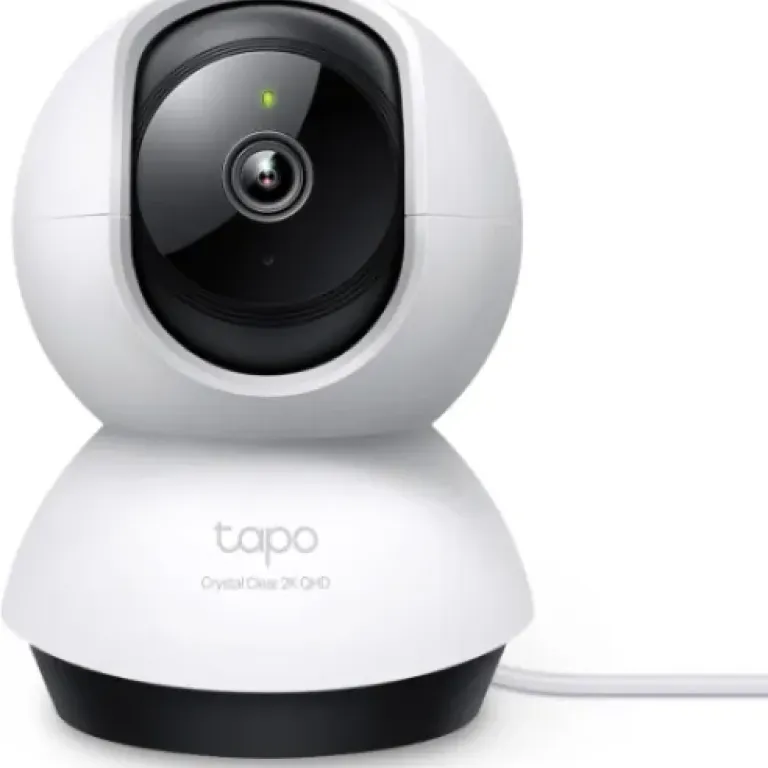
The Tapo C220 positions itself as a multi‑purpose indoor camera: baby monitor, pet cam, basic CCTV for a room, even a budget way to watch a driveway through a window. On paper, it throws in pretty much all the modern features people look for: 2K 4MP resolution, full pan/tilt, AI detections (people, pets, vehicles, baby crying), two‑way audio, night vision, and compatibility with Alexa and Google Assistant. It also avoids the usual subscription trap by supporting microSD cards up to 512 GB in addition to optional cloud storage.
In the published reviews, the overall tone is clearly positive. The average rating sits around 4.5/5 over more than a thousand reviews, which usually means the core functions – image quality, app, notifications – are doing their job for most buyers. Several comments come from people already invested in the Tapo ecosystem (smart plugs, older cameras like the C70 or C100) who say this model feels like a clear step up, especially in sharpness and AI features.
The flip side: this is still a budget indoor camera with some compromises. There is no optical zoom, the motorized tracking logic has some quirks according to a few owners, and like any Wi‑Fi cam it can be sensitive to router settings and crowded Wi‑Fi channels. One very satisfied user still had to tweak their router channel to stop dropouts, which tells you networking quality will matter as much as the camera itself.
Overall, the C220 looks like a solid candidate if you want a low‑cost, local‑storage‑friendly indoor camera with 360° coverage. In my opinion, the real question is not whether it works – reviews suggest it does – but whether its pan/tilt behavior and app‑centric design fit how you plan to secure or monitor your space.
Value for money: where the C220 stands
The Tapo C220 sits in the crowded budget‑to‑midrange indoor camera segment, but on paper it offers a lot for the money: 2K 4MP resolution, full pan/tilt, AI detections, two‑way audio, night vision, and support for up to 512 GB microSD. Several owners explicitly compare it to other brands. One buyer says they purchased it after returning a Ring pan/tilt camera, and they clearly prefer the C220 in terms of ease of use, app responsiveness over Wi‑Fi, and reliability of pet detection. Another review mentions considering Blink but finding the C220 a better option for their needs.
One of the big value arguments is no mandatory subscription. You can record everything to a large SD card and skip cloud fees entirely. Cloud storage (Tapo Care) is still available as an option with a free first‑month trial, but many owners seem content with local recordings. Compared to some ecosystems where motion events and long history require a paid plan, that’s a concrete saving over time.
The main compromises from a value perspective are the lack of optical zoom, the dependence on good Wi‑Fi, and a few missing software refinements like configurable auto‑return for tracking. For someone who absolutely needs rock‑solid, standalone operation with its own dedicated screen (like a high‑end baby monitor), or who wants advanced smart‑home automation across multiple brands, there are more expensive ecosystems that might fit better. But those typically cost more upfront and often lock you into subscriptions.
In my opinion, the C220 offers good value for money if your use case matches what it’s designed for: indoor monitoring with a phone app, mostly static mounting, and occasional use of pan/tilt and AI detection. The strong average rating (around 4.5/5) and repeated praise for image quality and features from existing Tapo users support that view. It’s not flawless, but for a relatively low price, you get a lot of functionality and the freedom to avoid monthly fees if you want.
Compact dome design focused on coverage, not style
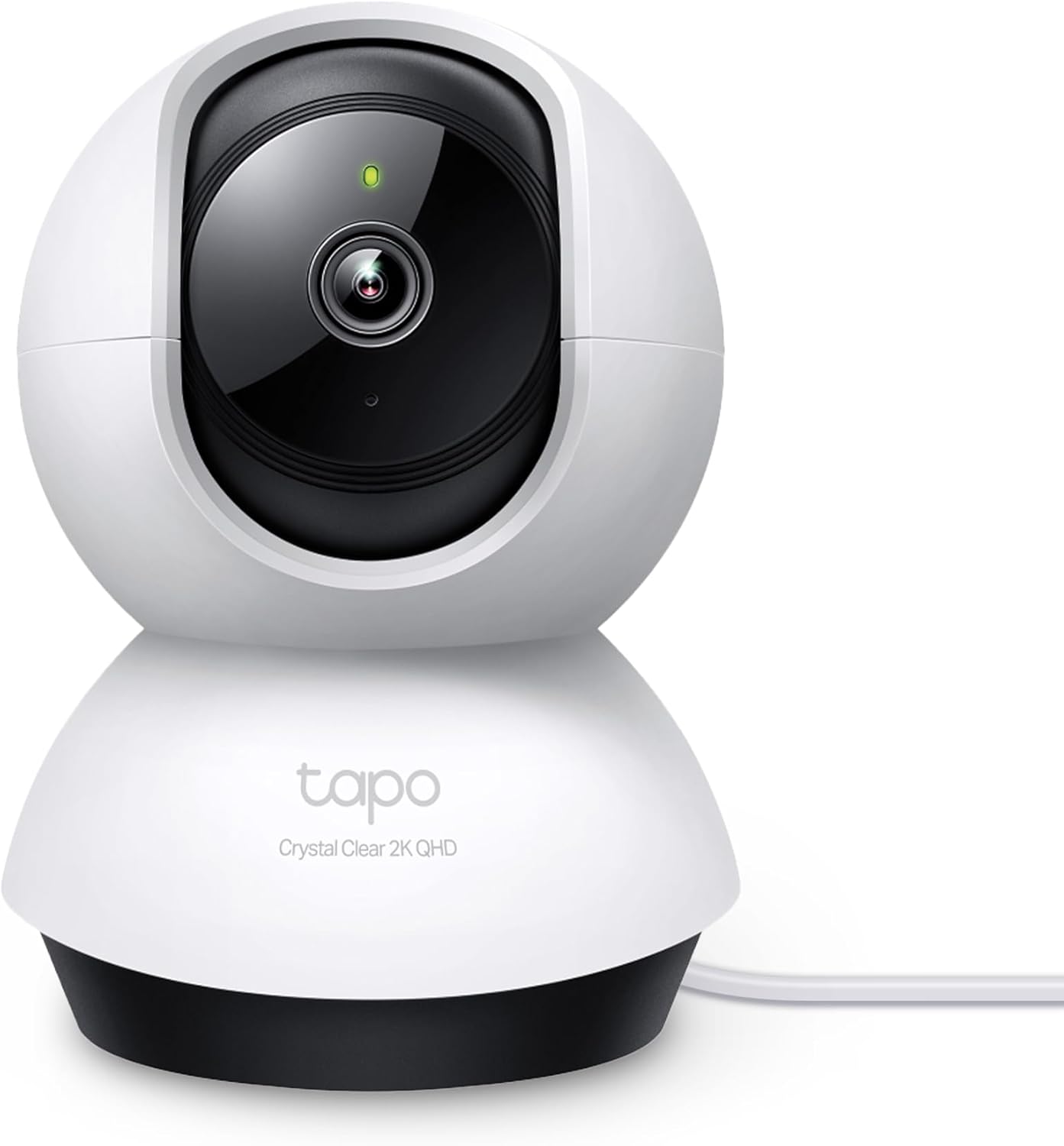
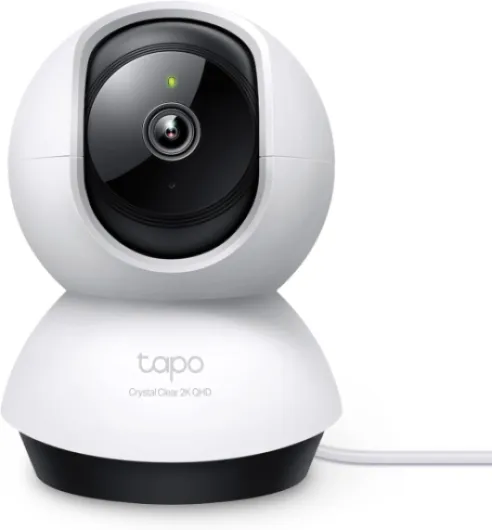
Design‑wise, the Tapo C220 is a compact dome camera, roughly 8.5 × 8.7 × 11.8 cm, in ivory white plastic. It’s clearly meant to blend into a room or sit discreetly on a shelf rather than be a decorative object. The dome form factor houses the motorized pan/tilt mechanism, allowing the lens to rotate horizontally and vertically for that 360°/114° coverage. Reviews from existing Tapo users often mention placing it on a window shelf, landing or corner of a room to get maximum field of view.
The camera can be wall‑mounted using the included anchors, screws and mounting template, or simply placed on a flat surface. That gives some flexibility: you can mount it high for security coverage, or low on a desk or sideboard for pet or baby monitoring. One buyer specifically notes moving from the older, fixed C100 to the C220 and being able to monitor a larger area (landing, half the stairs and several bedroom doors) thanks to both the higher resolution and the mechanical movement.
On paper, the field of view is 114° from the lens itself, which is decent but not ultra‑wide. The real trick is the motorized motion that lets you sweep the room via the app or with tracking. Some reviews say the pan/tilt is smooth and responsive over Wi‑Fi, though a bit laggy over cellular – nothing surprising there. There is no mention of physical lens covers in the spec sheet, but the camera supports software‑based privacy modes and zones, which a few buyers appreciate for blocking out sensitive areas.
In my opinion, the design is functional and focused on coverage and practicality rather than looks. It’s compact enough to hide in a corner, neutral in color, and the dome shape is standard for this category. If you want something ultra‑discreet or decorative, this is just a plain security gadget. If your priority is seeing as much of the room as possible with a single device, the design serves that goal well.
Build, reliability and long‑term concerns
On paper, the Tapo C220 is a fairly simple device in terms of hardware: plastic dome body, CMOS sensor, motorized pan/tilt mechanism, and a 5 V, 5.4 W power draw. It is listed as indoor only, with “not water resistant” in the details, despite an IP66 mention that looks more like a generic tag than a real rating for this unit. Reviews consistently talk about indoor usage: on shelves, landings, bedrooms, or looking through a window. Using it outdoors or in damp environments would clearly be outside its intended use and could shorten its lifespan.
There aren’t many comments complaining about physical failures like broken motors or dead units, which is usually a good sign when there are already over a thousand ratings. A few owners mention connection dropouts in the first days, but one of them solved this by manually setting their router to a less congested Wi‑Fi channel, after which they report no more disconnections. That suggests that perceived “instability” can often be blamed on network congestion rather than the camera failing.
The moving parts – pan and tilt motors – are always a potential wear point in this category. However, the reviews available don’t highlight widespread issues with noisy or failing motors. A user who relies heavily on tracking does not complain about mechanical problems; their issue is with the lack of auto‑return home logic, not with the movement itself. That’s more of a software limitation than a durability defect.
In my opinion, the long‑term durability of the C220 will mainly depend on three things: keeping it indoors and dry, having a decent power supply and cable management to avoid strain, and running it on a stable Wi‑Fi network. The plastic construction is standard for this price range. It’s not a tank, but there’s no flood of reports about it falling apart either. For a low‑cost, always‑plugged indoor camera, the reliability picture looks acceptable so far.
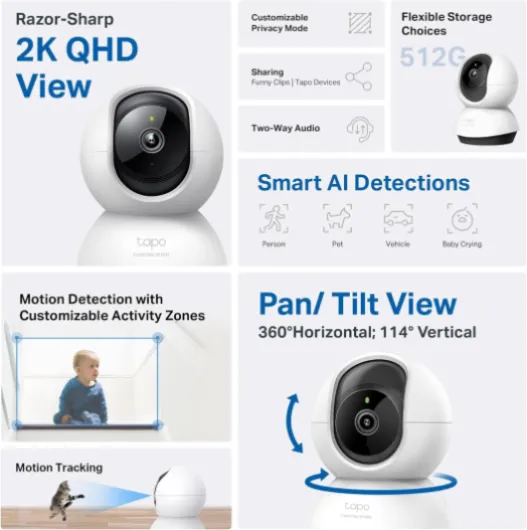
Image quality, AI detection and app behavior
The biggest performance selling point of the Tapo C220 is its 2K 4MP resolution at 30 fps. Several buyers upgrading from 1080p Tapo models (like the C70 or C100) insist the jump in sharpness is obvious. One owner who monitors their cars through a bedroom window says this 2K model is “WAY superior” in image quality, with a higher‑spec lens and better detail, enough that they could move the camera to a different location and still cover more area effectively. Another review simply calls the video “crisp, clear” with good detail across the room.
AI detection seems to be another strong area. The camera can differentiate between motion types: person, pet, vehicle and baby crying. Owners mention using pet‑only detection to avoid human alerts, or leveraging bark detection for a dog. One review highlights how the saved footage is labeled with icons (person, vehicle, animal), which makes it easier to skim through events later. In that user’s experience, pet detection produced no false positives once configured, and the bark detection was described as very reliable.
There are, however, some quirks around tracking behavior. One buyer using the camera on a landing for cat tracking complains that when the camera follows the cat into a bedroom and the animal curls up out of sight for a long time, the camera stays pointed in that extreme direction. Because there is no “return to home after X minutes of inactivity” setting, the landing then goes unwatched until someone manually re‑centers it. That user ended up disabling tracking entirely because of this, even though they were otherwise very satisfied with image quality and detection.
Connectivity performance depends heavily on your network. A detailed review explains that they initially had occasional disconnects, but after forcing their router to a less crowded Wi‑Fi channel, the dropouts stopped completely. Another owner notes minimal lag on pan/tilt over local Wi‑Fi and more noticeable lag over cellular. In my opinion, the core performance – image, detection, notifications – looks solid for the price, but the tracking logic could use a software update and, as usual, a stable Wi‑Fi setup is almost mandatory to get the best out of it.
What the Tapo C220 actually offers
The Tapo C220 is an indoor, motorized dome‑style camera with a 2K QHD 4MP sensor (2560×1440 at 30 fps). It supports pan and tilt, giving a quoted 360° horizontal and 114° vertical range, so one unit can cover a whole room or a long landing if you place it well. It connects over 2.4 GHz Wi‑Fi and is controlled entirely through the Tapo app, with extra convenience from Alexa and Google Assistant voice control for pulling up the feed on smart displays or TVs.
On the feature side, the spec sheet is packed: AI detection for people, pets, vehicles and baby crying; configurable motion alerts; sound and light alarm to scare off intruders; two‑way audio thanks to a built‑in mic and speaker; and night vision up to about 9 m (30 ft) using infrared. One buyer highlights bark detection and pet detection as particularly useful for monitoring a new dog, and mentions almost no false alerts once they tuned it to pets only.
Storage flexibility is another strong point. The camera accepts microSD cards up to 512 GB, which is quite generous in this price range, and can also use Tapo Care cloud storage if someone wants remote backups or extra features. A 4.5 W–5.4 W power draw and 5 V corded power mean it’s low consumption but not battery‑powered: you need a socket nearby, and it’s not meant as a fully wireless camera.
In my opinion, the positioning is clear: this is a general‑purpose indoor security camera that tries to cover most household use cases – baby monitor, pet cam, simple home security – while keeping running costs low thanks to big local storage and no mandatory subscription. The spec sheet doesn’t show anything exotic, but the combination of 2K, pan/tilt and AI at this price explains why it sits near the top of dome camera sales charts.

How well it works as security cam, pet cam and baby monitor
Effectiveness is where the Tapo C220 tries to cover several roles at once: indoor security, pet monitoring and baby monitoring. For general home security, owners praise the combination of 2K video, motion alerts and AI filters. One review mentions using it to watch cars parked on the street through a window, keeping the camera forced into day mode because of a nearby streetlight. They report that this setup works fine, with clear footage and easy playback from the SD card without needing a subscription.
As a pet camera, the feedback is quite positive. A dog owner uses bark detection and pet detection to keep an eye on a new dog and says the pet‑specific alerts work very well, with essentially no false positives when human detection is turned off. Another owner uses Tapo cameras mainly for pet detection and considers the C220 a big step up from older models in terms of resolution, night performance and tracking (when it suits the room layout). The two‑way audio also helps here, as you can talk to the pet or try to calm them remotely if needed.
For baby monitoring, there is a detailed review on the closely related Tapo C225 (same ecosystem and feature set) describing very clear night vision and reliable motion and sound alerts, including baby movement and noises. The reviewer emphasizes that the infrared at night is invisible (no red glow), which is important for not disturbing babies. While that review is technically about the C225, the C220 advertises similar IR‑based night vision and cry detection, so it should cover the same use case on paper. The key limitation is that all of this runs through a phone app and Wi‑Fi, so if your network drops, so does your monitoring.
In my opinion, the C220 is effective as a flexible, app‑based monitoring tool rather than a dedicated, always‑on baby monitor with its own screen. For people comfortable relying on their phone and Wi‑Fi, it offers a lot: AI alerts, two‑way audio, pan/tilt to check corners, and local recording. For more critical use (like a newborn), some users might still prefer a dedicated monitor as a backup. As a general indoor security cam and pet cam, though, it looks like it gets the job done for most households.
Pros
- 2K 4MP resolution and 30 fps for sharper video than older 1080p models
- Pan/tilt with 360° horizontal and 114° vertical range for wide coverage
- AI detection for people, pets, vehicles and baby crying with labeled event clips
- Supports up to 512 GB microSD local storage with no mandatory subscription
- Works with Alexa and Google Assistant, plus two-way audio and night vision
Cons
- No optical zoom, only digital zoom
- Tracking lacks auto-return-to-home option, which can leave areas unmonitored
- Dependent on stable Wi‑Fi; some users had to tweak router channels to avoid dropouts
- Indoor-only plastic build, not suitable for outdoor or damp environments
Conclusion
Analysis score
The Tapo C220 comes across as a solid, versatile indoor camera that delivers a lot of features for its price. On paper and in the reviews, its main strengths are clear: 2K 4MP video that buyers describe as a real step up from 1080p models, full pan/tilt coverage, and genuinely useful AI detections for people, pets, vehicles and baby crying. Add to that two‑way audio, night vision, and support for up to 512 GB local storage, and you have a flexible tool for home security, pet monitoring or baby watching without being forced into a subscription.
It’s not free of flaws. There’s no optical zoom, the tracking logic can be awkward in long corridors or landings because it doesn’t auto‑return to a home position, and like any Wi‑Fi camera it’s only as reliable as your network setup. People with congested Wi‑Fi may have to tweak router settings. Also, it’s an app‑only solution: if you want a dedicated screen and guaranteed offline operation, a traditional baby monitor or wired CCTV system will be a better fit.
In my opinion, the C220 suits users who want an affordable, app‑centric indoor camera with strong image quality, broad coverage and the option to avoid monthly fees via SD card recording. It’s especially interesting if you already use Tapo plugs or cameras and like their app. Those who need advanced tracking logic, professional‑grade reliability, or deep integration with another ecosystem might want to look higher up the range or at more expensive brands.