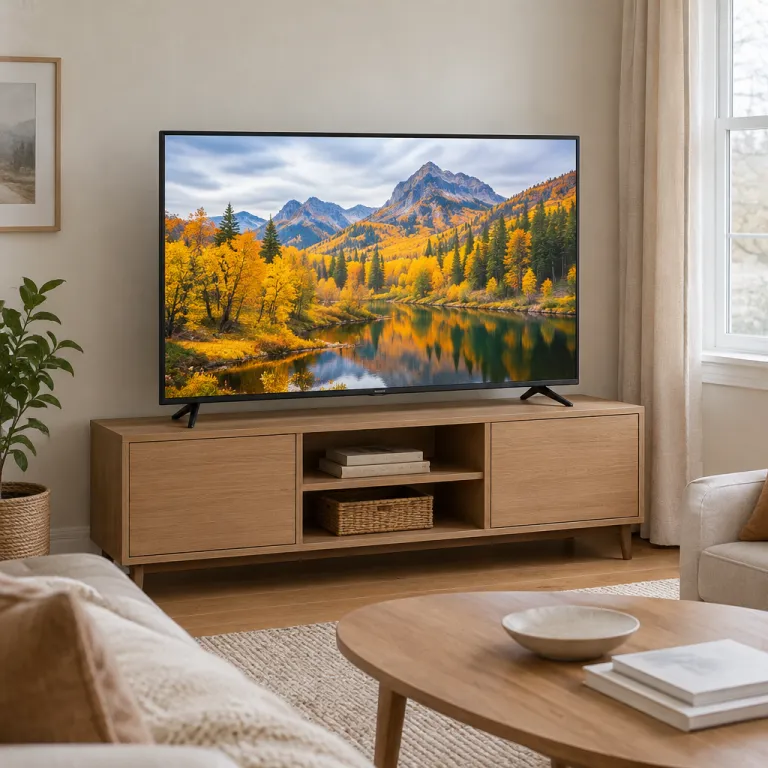
How to define the best budget smart TV for streaming
Choosing the best budget smart TV for streaming starts with clarity about your habits. If you mainly watch Netflix, Disney Plus, or YouTube, you need a set that loads apps quickly, keeps Wi‑Fi stable, and handles 4K streams without stutter. A good affordable streaming TV should still feel responsive when you jump between apps, change profiles, or cast from your phone.
For most viewers, a 4K panel from 50 to 65 inches offers the best balance between immersion and price, especially when you sit around 2 to 3 meters from the screen. Experts agree that 4K gives a noticeably sharper image for screens 50‑inch plus, so even a budget‑friendly streaming TV should not drop below Ultra HD resolution if you care about long‑term value. When you compare models, treat HD‑only sets as stopgaps, because streaming platforms increasingly prioritize 4K and HDR masters.
Picture quality still matters on a budget, and it is not just about resolution. Look for strong contrast, decent peak brightness, and support for HDR10 and Dolby Vision, which are now standard on many affordable sets. A carefully chosen value streaming display will make even compressed streams look cleaner, with fewer banding artifacts and more detail in dark scenes.
Key specs that matter most for streaming performance
When you evaluate any candidate for the best budget smart TV for streaming, start with the panel and processing specs. Mini LED backlighting has reached lower price points, bringing higher brightness and better local dimming to value models, which helps HDR movies and shows look more impactful in bright living rooms. A TV like the Hisense U6K series, for example, has been measured by RTINGS at peak brightness figures above 800 nits in HDR (source), which is impressive for a budget‑focused screen.
Beyond brightness, you should pay attention to the smart operating system and Wi‑Fi capabilities. Picture clarity, smart OS fluidity, strong wireless performance, and robust HDR support are the specs that matter most for streaming, and they directly affect how smooth your daily use feels. A capable budget 4K TV should open Netflix or Prime Video in seconds, keep 4K streams stable on a typical home router, and offer clear menus that even guests can navigate.
Do not ignore connectivity either, especially if you plan a clean wall setup or a future soundbar upgrade. At least three HDMI ports, one with eARC, will simplify adding a console, streaming stick, or AV receiver later. If you are planning a recessed wall setup, pairing your best budget smart TV for streaming with a recessed TV mount can hide cables and keep the installation elegant without sacrificing access to ports.
Hisense, TCL, and Vizio compared for value streaming
Among budget brands, Hisense, TCL, and Vizio consistently compete for the title of best budget smart TV for streaming. Hisense focuses on strong specifications at aggressive prices, often including Mini LED, high peak brightness, and wide HDR support in mid‑range models. TCL has become a budget leader with Google TV or Roku OS, which gives you a familiar, app‑rich interface that many users find intuitive.
Vizio tends to emphasize picture quality and local dimming in cheaper sets, which can be appealing if you watch a lot of dark dramas or movies in a dim room. In practice, Hisense often wins on raw brightness, TCL on interface polish, and Vizio on contrast, so your personal pick will depend on which of these traits you value most. For example, a TCL Google TV might be ideal for someone who wants deep app integration and voice control, while a Vizio with strong local dimming suits a movie‑focused viewer.
Support and ecosystem also matter when you buy into a brand. Hisense offers consumer support via its brand site, TCL can be reached at [email protected], and Vizio at [email protected], which is useful if you ever need firmware help or warranty service. Whichever brand you choose for your streaming‑first TV, pairing it with a robust mounting solution such as Chief TV mounts will help you position the screen at the correct height and angle for long sessions.
Streaming features and smart platforms to prioritize
A best budget smart TV for streaming must excel at the software layer, not just the panel. Google TV, Roku TV, and proprietary systems from Hisense or Vizio each offer different strengths in app selection, recommendations, and voice control. Google TV integrates tightly with Android phones and Google Assistant, while Roku TV is known for its simple grid layout and broad app support.
Alexa, Google, and Roku‑based interfaces are now common even in affordable models, which means you can search for shows, control playback, or adjust volume with voice commands. When you compare candidates for your living‑room streaming hub, check that your essential apps are available in native form, not just via casting, and that the interface remains smooth after several years of updates. User feedback and long‑term reviews from sources such as RTINGS, Digital Trends, and Tom’s Guide can reveal whether a TV slows down or keeps its snappy feel.
Do not forget audio and integration with the rest of your home theater. Many budget TVs have modest speakers, so plan for a soundbar or compact AV setup if you care about dialogue clarity. If you are building a more cinematic space around your main streaming screen, consider using sound permeable screens and hidden speakers to keep the room clean while still achieving immersive sound.
Balancing streaming, gaming, and HDR on a tight budget
Many buyers want their best budget smart TV for streaming to double as a capable gaming display. Affordable TVs now include high brightness, Mini LED, and HDMI 2.1, which were once reserved for premium models, so you can enjoy smoother gameplay without overspending. Some Hisense models, such as the U7K, even reach refresh rates up to 144 Hz according to RTINGS and manufacturer data (source), which is excellent for fast‑paced console or PC gaming.
If you mainly watch shows and movies, HDMI 2.1 is less critical, but it becomes valuable when you connect a PlayStation 5 or Xbox Series X. Do I need HDMI 2.1? Useful for gaming; less important for shows and movies, so prioritize it only if you actually own or plan to buy a modern console. For a pure streaming setup, you can safely focus on HDR support, brightness, and smart OS performance when choosing your budget‑friendly 4K TV.
HDR10 and Dolby Vision support are now standard on many budget sets, which helps streaming content from Netflix, Disney Plus, and Apple TV Plus look more dynamic. To benefit, you need enough brightness and decent local dimming, otherwise highlights will look flat and blacks washed out. When you compare several candidates for the best budget smart TV for streaming, check real measurements and user photos rather than relying only on showroom demos, which often exaggerate vivid modes.
Practical buying checklist for the best budget smart TV for streaming
Before you commit to any model, run through a simple checklist tailored to finding the best budget smart TV for streaming. First, confirm the size fits your room and viewing distance, aiming for at least 50 inches if you sit around 2 meters away. Second, verify that the TV offers 4K resolution, HDR10 and Dolby Vision, and a smart platform with all your essential streaming apps.
Next, evaluate connectivity and future‑proofing, especially if you plan to keep the TV for many years. At least three HDMI ports, one with eARC, and dual‑band Wi‑Fi should be considered baseline for any serious candidate. If you game, add HDMI 2.1 and a 120 Hz or higher refresh rate to your must‑have list, while film‑focused viewers can prioritize better local dimming and higher peak brightness instead.
Finally, look beyond the spec sheet to real‑world feedback and support. Lab reviews, user comments, and long‑term tests from RTINGS, Digital Trends, and Tom’s Guide help you understand reliability, OS stability, and firmware update quality. When a model consistently earns praise for streaming performance, app stability, and picture quality at a low price, it is a strong contender for your personal best budget smart TV for streaming.
Key figures and statistics for budget smart TVs and streaming
- Peak brightness on value Mini LED sets such as certain Hisense U6K models has been measured above 800 nits in independent lab tests by RTINGS (source), which is bright enough to handle HDR streaming in sunlit living rooms without washed‑out highlights.
- Refresh rates of up to 144 Hz on models like the Hisense U7K mean that a single TV can serve both as a budget streaming screen and as a responsive gaming display for modern consoles and PCs (source).
- Affordable TVs now routinely include HDR10 and Dolby Vision support, bringing premium‑grade dynamic range to budget buyers and allowing streaming services to deliver their highest quality masters without downscaling to SDR.
- Streaming has become the dominant use case for many households, so manufacturers optimize smart OS performance, Wi‑Fi stability, and app support, which directly benefits anyone searching for a value‑oriented streaming TV.
- Feature‑to‑price ratios have improved significantly as Mini LED, HDMI 2.1, and advanced local dimming trickle down to sub‑premium models, giving budget‑conscious buyers access to technologies that were previously reserved for flagship sets.
FAQ about choosing the best budget smart TV for streaming
What specs matter most for streaming on a budget TV?
The most important specs for streaming are picture clarity, a responsive smart operating system, strong Wi‑Fi performance, and solid HDR support. These factors determine how sharp your content looks, how quickly apps open, and how stable 4K streams remain during peak hours. A best budget smart TV for streaming should handle these basics effortlessly before you worry about extras.
Is 4K necessary for a budget streaming TV?
For screens 50 inches and larger, 4K resolution is strongly recommended because it delivers noticeably sharper images at typical living room distances. Streaming platforms increasingly prioritize 4K and HDR versions of their shows and films, so a 4K panel protects your purchase against rapid obsolescence. When you search for the best budget smart TV for streaming, treat 4K as the default rather than a luxury.
Do I need HDMI 2.1 if I only stream movies and shows?
HDMI 2.1 is primarily useful for gaming features such as 120 Hz output, Variable Refresh Rate, and Auto Low Latency Mode. If you only stream movies and series, HDMI 2.0 with eARC is usually sufficient for both video and audio needs. In that case, you can focus your best budget smart TV for streaming search on brightness, HDR performance, and smart OS quality instead.
Which brands offer the best value for budget streaming TVs?
Hisense, TCL, and Vizio are three brands that consistently deliver strong value in the budget segment. Hisense often leads on brightness and advanced backlighting, TCL on user‑friendly Google TV or Roku interfaces, and Vizio on local dimming and contrast. Any of these brands can provide a best budget smart TV for streaming if you match their strengths to your viewing priorities.
How can I ensure smooth app performance over time?
To maintain smooth app performance, choose a TV with a modern processor, at least 2 GB of RAM, and a well‑supported smart platform such as Google TV or Roku TV. Check long‑term reviews to see whether firmware updates keep the interface responsive or introduce slowdowns. A carefully selected budget streaming TV should remain fluid for several years of daily use.
Trusted sources
- RTINGS
- Digital Trends
- Tom’s Guide