Choosing the right smart home hub before you plug anything in
Before you learn how to set up smart home hub hardware, you must choose the right ecosystem. A smart home hub acts as the central controller that links your lights, locks, sensors, and thermostats into one coherent system, so the wrong choice can lock you into limited devices and clumsy apps. Think of this first step as choosing the operating system for your entire house, not just another gadget for a shelf.
Start by listing the smart devices you already own or plan to buy, then check whether they support Matter, Zigbee, Z Wave, or Thread because these protocols determine which hub can talk to which device. Typical consumer hubs now support around three to four wireless protocols on average, which matches buying guide data showing about 3.5 protocols per hub across leading models. When you evaluate how to set up smart home hub solutions for your home, prioritise hubs that support Matter and Thread for future proofing, while still offering Zigbee or Z Wave for legacy bulbs and sensors.
Next, decide whether you want a voice assistant centric hub like Amazon Echo, Google Nest Hub, or Apple HomePod, or a more automation focused box such as Samsung SmartThings or a dedicated Matter controller from brands like Aqara. Voice first hubs feel friendlier for beginners, but dedicated hubs often provide more advanced routines, better local control, and deeper device dashboards for power users. When you compare how to set up smart home hub ecosystems, remember that switching later can mean re pairing dozens of devices and rebuilding every routine from scratch.
Planning your network, placement, and power for stable performance
Once you have chosen a hub, planning where and how it connects is the next critical step in how to set up smart home hub infrastructure that feels reliable every day. Wireless protocols are surprisingly sensitive to distance, walls, and interference, so a poorly placed hub can cause random disconnections that look like faulty devices. Treat hub placement like planning a Wi Fi mesh node rather than hiding another box behind your television.
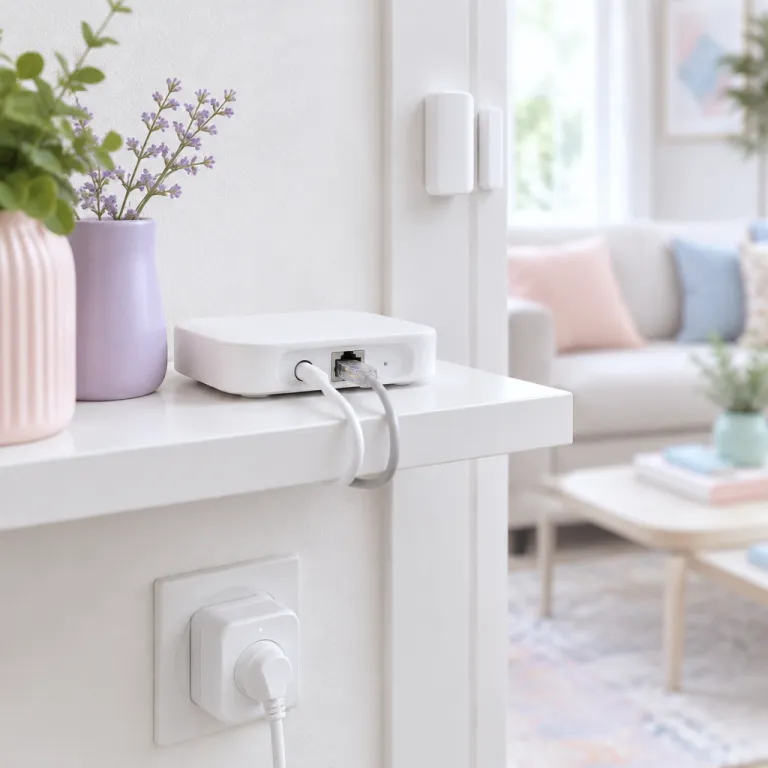
Experts consistently advise that “Where to place the hub? Central open spot not blocked by metal or far from router.” That single guideline captures why many first attempts at how to set up smart home hub systems fail, because people tuck the hub into a cabinet beside a metal router or under a TV stand. Aim for an indoor, central location on an open shelf, ideally within one or two rooms of your main Wi Fi router, and avoid placing it directly beside microwaves, thick brick walls, or large mirrors that can reflect radio signals.
While planning power and cabling, decide whether you will use Ethernet or Wi Fi for the hub’s network connection, because wired Ethernet usually offers lower latency and fewer dropouts for automation triggers. If you already run a mesh Wi Fi system, ensure the hub connects to the main node or a stable satellite, not a weak corner repeater that frequently re negotiates its link. For readers who care about grooming tools as much as network grooming, a separate guide on whether razor oil is necessary for your electric shaver shows the same principle, small maintenance choices can significantly extend performance and lifespan over time.
Step by step: pairing your hub, app, and first smart devices
Now you are ready for the practical part of how to set up smart home hub control, starting with unboxing and powering the device. Most hubs follow a similar sequence, even if the apps look different, so once you learn the pattern you can repeat it confidently with any brand. Think of this as teaching your phone, hub, and router to speak the same language before inviting other devices into the conversation.
Begin by connecting the hub’s power adapter, waiting for the status light to indicate pairing mode, then install the manufacturer’s app on your smartphone or tablet from the official app store. The app will guide you through adding the hub to your Wi Fi or Ethernet network, often by scanning a QR code or entering a short setup code, and this is where Matter support can simplify onboarding because many devices now share a common pairing flow. Once the hub appears online in the app, you can start adding smart bulbs, plugs, sensors, and thermostats by choosing “add device” and following the on screen prompts for each protocol.
When you evaluate how to set up smart home hub routines around climate control, pairing a smart thermostat early makes sense because it quickly demonstrates real energy and comfort benefits. A detailed smart thermostat buying guide for efficient comfort at home explains how scheduling and occupancy detection can reduce heating and cooling costs while maintaining stable temperatures. As you add each device, test basic commands like turning a light on or adjusting the thermostat from the hub app to confirm that the network, protocols, and naming conventions all work as expected.
Building scenes, routines, and automations that feel genuinely helpful
After the initial pairing, the real value in how to set up smart home hub systems comes from scenes and automations, not just remote control. A scene groups multiple actions into a single button or voice command, while an automation triggers those actions based on time, sensors, or your location. When designed carefully, these routines remove friction from daily life instead of adding another layer of complexity.
Start with simple, high impact routines such as a “good night” scene that turns off living room lights, locks the front door, and lowers the thermostat by a couple of degrees. Then expand into sensor based automations, for example using a motion sensor in the hallway to turn on dim lights after sunset, or a contact sensor on the front door to trigger a welcome scene with lights and soft music. As you refine how to set up smart home hub automations, always test them at different times of day and with different household members to ensure they behave predictably and respect everyone’s habits.
Voice assistants add another layer of convenience, but choosing between Google Assistant, Amazon Alexa, and Apple Siri can feel confusing when you are also choosing a hub. A detailed comparison of Google Home versus Alexa and which smart assistant fits your home can help you align your hub choice with your preferred voice ecosystem. Once you settle on a voice platform, link it to your hub account, sync devices, and create a few voice friendly scene names so that spoken commands feel natural rather than like issuing technical instructions.
Security, privacy, and maintenance for a resilient smart home hub
Security is not optional when you decide how to set up smart home hub infrastructure that controls locks, cameras, and alarms. Every connected device represents a potential entry point, so your hub and router must be configured with the same care you would give to online banking. Treat firmware updates and password hygiene as ongoing maintenance tasks, not one time chores.
Begin by changing default passwords on the hub, router, and any web portals, using a password manager to generate unique, strong credentials for each account. Enable two factor authentication wherever the hub manufacturer or ecosystem provider offers it, because this single step dramatically reduces the risk of remote account takeover. When you plan how to set up smart home hub security, also consider creating a separate guest Wi Fi network for visitors and low trust devices, keeping your core hub and personal devices on a more restricted main network.
Privacy settings deserve equal attention, especially when your hub integrates microphones, cameras, or cloud based voice assistants that process audio off device. Review which data is stored locally versus in the cloud, and prefer hubs that support local first control so that basic automations continue working even if your internet connection fails. Schedule a quarterly check to review connected devices, remove anything you no longer use, and confirm that firmware updates have been applied across the hub and all paired accessories.
Troubleshooting common issues when your smart home hub misbehaves
Even a carefully planned system can misbehave, so understanding troubleshooting is part of knowing how to set up smart home hub solutions that stay reliable. Most issues fall into a few categories, such as pairing failures, intermittent disconnections, or automations that trigger at the wrong time. A structured approach helps you isolate whether the problem lies with the hub, the device, or the network in between.
If a device refuses to pair, move it closer to the hub, reset it according to the manufacturer’s instructions, and confirm that you are using the correct protocol and app section for that device type. For intermittent dropouts, check whether the device sits at the edge of your wireless range, then consider adding a repeater, another powered Zigbee or Z Wave device to extend the mesh, or repositioning the hub slightly higher and more centrally. When you reassess how to set up smart home hub placement during troubleshooting, small changes like rotating the hub or moving it 1 to 2 metres can significantly improve signal paths through your walls.
Automation glitches often stem from overlapping rules, time zone errors, or misconfigured presence detection, so review each routine step by step and temporarily disable complex chains to test them individually. If your hub supports logging, check event histories to see whether triggers fired as expected, then adjust conditions such as “after sunset” or “only when at home” to match real behaviour. When problems persist across many devices, a full hub reboot, router restart, and final firmware check usually resolve lingering issues without requiring a complete factory reset.
Key statistics and figures for smart home hubs
- Leading consumer smart home hubs now support an average of about 3.5 wireless protocols, based on aggregated buying guide data across top models, which reflects the need to bridge Matter, Thread, Zigbee, and Z Wave in mixed device homes.
- Hubs that offer local first control can keep core automations running during internet outages, which significantly improves perceived reliability compared with cloud only systems that fail whenever the broadband connection drops.
- Central placement of the hub in an open indoor location typically reduces device disconnection rates, because shorter average distances and fewer walls improve signal strength for low power sensors and bulbs.
- Households that consolidate multiple devices into a single hub app tend to spend less time switching between manufacturer apps, which aligns with the core goal of streamlined control and reduced app fatigue in modern smart homes.
FAQ about setting up a smart home hub
Do I need a smart home hub for my devices ?
Do I need a smart home hub? Yes if you have devices using Zigbee, Z-Wave, Thread or want centralized automations. Many Wi Fi only bulbs and plugs can work without a hub, but you lose unified control and advanced cross device routines. A hub becomes essential once you mix brands, protocols, and sensors that must coordinate reliably.
Which wireless protocols should my hub support ?
Which protocols matter most? Matter, Thread, Zigbee, Z-Wave support in hub and devices are key. Matter and Thread provide modern, interoperable foundations, while Zigbee and Z Wave remain important for existing bulbs, sensors, and switches. Choosing a hub that covers all four gives you maximum flexibility for future purchases.
Where exactly should I place the smart home hub ?
The ideal location is indoors in a central, open spot roughly equidistant from your main rooms. Avoid placing the hub inside cabinets, behind televisions, or next to large metal objects that can block radio signals. This placement strategy directly supports a more stable network when you plan how to set up smart home hub coverage across multiple floors.
How long does it take to set up a smart home hub ?
Most homeowners can complete the initial hub setup, app installation, and pairing of a few key devices in under an hour. Building more advanced scenes and automations usually takes another hour or two as you refine triggers and test behaviour. Treat it as a one time setup project, then occasional fine tuning as you add new devices.
Can I change hubs later without replacing all my devices ?
Switching hubs is possible, but it often requires re pairing each device and recreating every routine manually. Devices that support Matter are easier to migrate because they follow a common standard, while older Zigbee or Z Wave accessories may need specific compatibility checks. Planning how to set up smart home hub ecosystems with open standards from the start reduces the pain of any future migration.