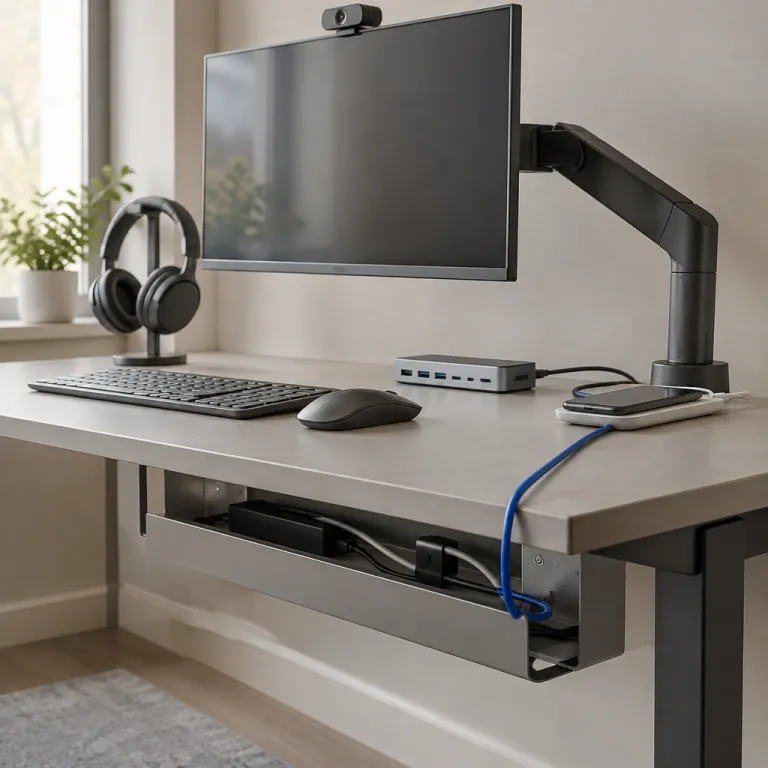
Building a smart home office tech essentials list from the desk out
Your home office tech essentials list should start with the core workstation, because everything else depends on that foundation. A modern laptop or desktop with a recent processor, 8 to 16 GB of RAM, SSD storage, and an integrated webcam gives you enough power for video calls, multitasking, and light creative work without constant slowdowns. When you build this remote work setup checklist, prioritise reliability over flashy extras, since downtime directly hurts your productivity and work life balance.
For most people, a 24 inch external monitor hits the sweet spot between screen real estate and desk space, and pairing it with a second display creates a dual monitors setup that dramatically improves multitasking. A well curated home office equipment plan often includes dual monitors because they let you keep communication apps, documents, and reference material visible at once, which reduces window switching and mental fatigue. If you work with large spreadsheets or design tools, consider a 27 inch main display and a 24 inch secondary screen to keep your primary tasks front and centre.
Do not overlook power protection when drafting your home office tech essentials list, since a single surge can damage expensive equipment and erase unsaved work. The expert guidance is clear here, so remember that “What power protection is needed? Surge protector or uninterruptible power supply (UPS)”. A quality surge protector with enough outlets for your PC, monitors, and networking gear is the minimum, while a compact UPS adds battery backup that lets you save files and shut down safely during short outages.
Connectivity and networking choices that make remote work seamless
A serious home office tech essentials list must treat internet connectivity as non negotiable, because even the best laptop is useless on an unstable network. Aim for a broadband plan that comfortably exceeds your daily needs, and remember that an ideal internet upload speed of at least 5 Mbps is recommended by major video conferencing platforms such as Zoom and Microsoft Teams for smooth HD calls without frozen screens or distorted audio. When you translate this into a practical home office technology checklist, it means checking both download and upload speeds in your contract, not just the headline number in the advertisement.
Your WiFi hardware matters as much as your plan, especially if your office is far from the router or separated by thick walls. Mesh WiFi systems use multiple nodes to blanket your home in consistent coverage, and they belong on any modern home office tech essentials list where video calls and cloud tools are central to daily work. If you live in a multi storey home or share the connection with family streaming in other rooms, a mesh WiFi kit will usually outperform a single powerful router and reduce frustrating dead zones.
Security should be built into your connectivity plan from day one, not added later as an afterthought. To ensure a secure home network, follow the guidance that says “How to ensure secure home network? Use strong router encryption, update firmware, enable firewall, use VPN”. When you assemble your home office tech essentials list, include VPN software and a router with WPA3 or at least WPA2 encryption, then consider a smart home starter kit with secure hubs from a trusted guide such as this smart home starter kit recommendations for a seamless first setup to keep your connected devices under control.
Audio, video, and collaboration gear for clear communication
Once your core workstation and network are stable, the next layer in your home office tech essentials list is communication gear that keeps you seen and heard clearly. Integrated laptop webcams are acceptable for occasional calls, but a dedicated 1080p webcam with good low light performance and automatic exposure control will make you look more professional in every meeting. When you refine your remote office equipment list, think about how often you present, train, or pitch on video, because frequent presenters benefit from higher quality optics and better microphones.
Noise cancelling headsets are transformative in busy households, since they block background chatter and appliance noise that can distract you or your colleagues. A well chosen noise cancelling headset belongs on any serious home office tech essentials list, especially if you share your space with children, pets, or street noise that you cannot control. Look for comfortable over ear designs with at least 20 hours of battery life, a clear boom microphone, and easy switching between your computer and phone.
For power users, pairing a good headset with a dedicated USB microphone and adjustable webcam mount gives you studio like clarity without complex setups. This level of audio and video polish is particularly valuable if you record training sessions, host webinars, or create content as part of your work, and it elevates your home office tech essentials list from basic to professional grade. To complement this, consider smart plugs that let you automate lighting and background devices, using a guide such as these best smart plugs for Alexa so your environment always looks and sounds ready for a call.
Comfort, ergonomics, and health focused tech upgrades
A refined home office tech essentials list goes beyond screens and processors to address comfort, because physical strain quietly erodes productivity over time. An ergonomic chair with adjustable lumbar support, seat height, and armrests is a long term investment that protects your back and shoulders during long workdays. When you evaluate options for your home office setup checklist, sit in chairs where possible and check that your feet rest flat on the floor with your knees at roughly ninety degrees.
Standing desks have moved from niche to mainstream, and they deserve a place in many home office tech essentials lists, especially for people who sit for most of the day. A height adjustable desk lets you alternate between sitting and standing, which can reduce stiffness and encourage more movement without disrupting your workflow. Look for electric models with memory presets, a stable frame that does not wobble at full height, and a surface large enough to hold dual monitors plus a laptop stand.
Small ergonomic accessories can also make a noticeable difference when you refine your home office tech essentials list for daily comfort. A separate keyboard and mouse allow better positioning than a laptop alone, while a monitor arm helps you set the top of the screen at or slightly below eye level to reduce neck strain. Add a soft desk mat, a footrest if your feet do not reach the floor comfortably, and a simple LED desk lamp with adjustable colour temperature to reduce eye fatigue during late sessions.
Security, backup, and power management for peace of mind
Every responsible home office tech essentials list must include measures that protect your data and equipment, because a single incident can undo months of work. Start with automated backups using both a local external SSD and a reputable cloud backup service, so you are covered against hardware failure and accidental deletion. When you design this part of your home office tech essentials list, schedule backups to run daily and test file restores occasionally to confirm everything works as expected.
Cybersecurity tools are another non negotiable layer, especially when you handle sensitive client information or company data. At a minimum, your home office tech essentials list should include a reputable antivirus suite, automatic operating system updates, and a password manager that generates unique, complex passwords for every account. For remote workers connecting to corporate networks, VPN software is essential, and IT support or your vendor can help ensure it is configured correctly and compatible with your systems.
Physical and power security round out this protective layer, and they are often overlooked until something goes wrong. A surge protector or UPS, as already highlighted, shields your devices from voltage spikes and short outages, while a small fireproof safe can protect critical documents and backup drives. To extend protection beyond your office, consider a smart home security camera system evaluated by expert reviews such as these expert home security camera system reviews, integrating them into your broader home office tech essentials list for a safer living and working environment.
Planning your purchases and working with IT support or vendors
A thoughtful home office tech essentials list is only effective if you translate it into a realistic purchasing plan that fits your budget and timeline. Start by ranking items into three tiers, separating must have essentials like a reliable computer and surge protection from nice to have upgrades such as dual monitors or a standing desk. This structured approach helps you phase your home office tech essentials list over several months, avoiding large one time expenses while still moving steadily toward a fully equipped workspace.
Remote workers often overlook the value that IT support or a trusted vendor can bring when selecting and configuring equipment. Share your draft home office tech essentials list with them and ask for validation on compatibility, security, and long term support, especially for networking gear and VPN software. They can also help you choose reliable hardware brands, verify that your router supports strong encryption, and ensure firmware updates are easy to manage over time.
Finally, treat your home office tech essentials list as a living document that evolves with your role and tools. Revisit it every few months to identify bottlenecks, such as slow storage, insufficient RAM, or recurring WiFi issues that hurt your productivity. As your responsibilities grow, you may add more specialised items like colour accurate monitors, higher end microphones, or advanced mesh WiFi systems, always guided by the same principles of reliability, security, and comfort.
Key figures that shape a modern home office setup
- Many professionals find that a 24 inch monitor offers the best balance between clarity and desk space, which is why this recommended monitor size appears frequently in corporate equipment standards.
- Video conferencing platforms typically recommend at least 5 Mbps upload speed for stable HD calls, so home workers should choose internet plans that exceed this ideal internet upload speed to allow for simultaneous streaming and backups.
- Remote work surveys from major collaboration platforms, such as Microsoft’s multi monitor productivity studies, have shown that dual monitors can improve task switching efficiency by around 20 percent, which explains their recurring presence in any serious home office tech essentials list.
- Industry data from power management companies indicates that a significant share of equipment failures in home offices are linked to power surges, reinforcing the practical value of including a surge protector or UPS in your setup.
- Security reports consistently show that routers with outdated firmware are a common entry point for attacks on home networks, so scheduling regular firmware updates is as critical as installing antivirus software on your main devices.
FAQ about building a home office tech essentials list
What laptop specs are essential for a productive home office?
For most remote workers, the essential laptop specs are clearly defined, and the guidance states that “What laptop specs are essential? Modern processor, 8-16GB RAM, SSD storage, integrated webcam”. This configuration handles office suites, video calls, and browser based tools smoothly, while SSD storage keeps boot times and file access fast. If you work with large datasets or creative software, aim for the upper end of the RAM range and consider a processor with more cores.
How can I ensure my home network is secure for remote work?
Start by enabling strong encryption on your router, using WPA3 or at least WPA2, and change the default admin password to a unique, complex one stored in a password manager. Keep your router firmware updated, enable the built in firewall, and use VPN software when accessing company resources from outside the office. These steps align with the earlier guidance on how to ensure a secure home network and should be part of any responsible home office tech essentials list.
Do I really need dual monitors in my home office?
Dual monitors are not mandatory, but they significantly improve productivity for many knowledge workers who juggle multiple applications. If you frequently compare documents, monitor chat channels, or reference data while writing, adding a second screen to your home office tech essentials list can reduce constant window switching. For simpler workflows, a single 24 inch monitor paired with your laptop display may be sufficient.
What kind of power protection should I buy for my equipment?
At minimum, use a surge protector rated for your local power standards, with enough outlets for your computer, monitors, and networking gear. If your area experiences frequent outages or voltage fluctuations, a small UPS adds battery backup that lets you save work and shut down safely, which is especially valuable during critical tasks. Including this level of power protection in your home office tech essentials list reduces the risk of hardware damage and data loss.
How do I prioritise items when my budget is limited?
Focus first on the essentials that directly affect uptime and communication, such as a reliable computer, stable internet, and basic ergonomic seating. Next, allocate budget to security and backup tools, then gradually add comfort and productivity upgrades like dual monitors, standing desks, or noise cancelling headsets. Reviewing your home office tech essentials list every few months helps you adjust priorities as your work evolves and new needs emerge.