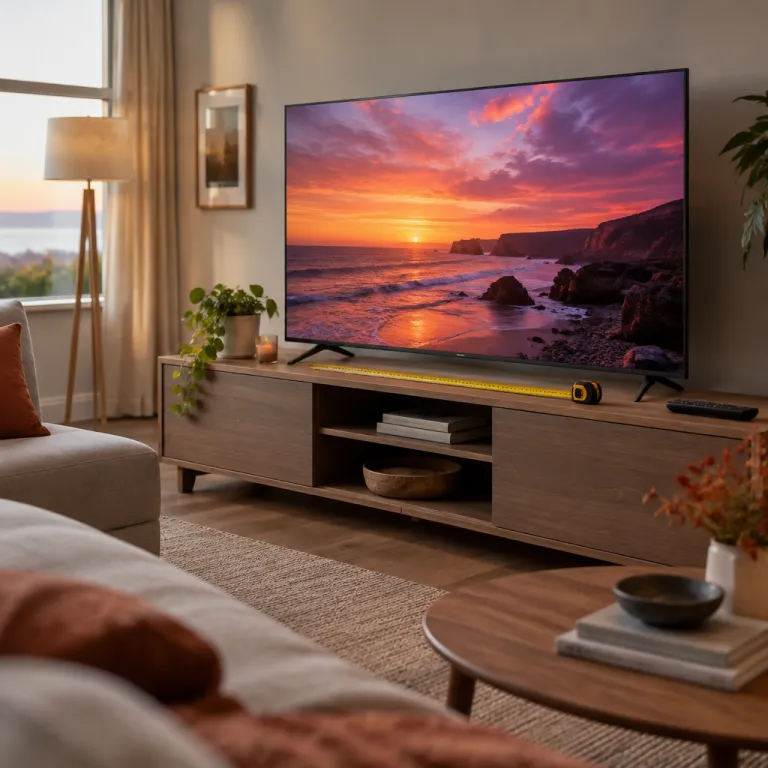
Choosing the right 55 inch size and viewing distance
A 55 inch 4K smart TV suits most living rooms and apartments. For any 55 inch TV buying guide, the first decision is whether this size matches your seating distance and wall space. A well chosen 55 inch model can feel cinematic without overwhelming a modest room.
For a 55 inch screen, the recommended viewing distance is around 1.7 metres to 2 metres (about 5.5 to 6.5 feet), which aligns closely with guidance from major US retailers and THX-style recommendations. Sit much farther away and a 4K panel loses some of its sharpness advantage, while sitting too close can make motion artefacts and compression noise more visible. When you read any 4K smart TV buying guide for this size, always check that it explains how distance, resolution, and screen size interact in real homes.
Measure your room before you shop and map the exact wall or stand position. Leave space for a soundbar under the 55 inch 4K smart TV and ensure the centre of the screen sits roughly at eye level when seated. A precise plan like this turns a generic 55 inch television checklist into a tailored layout for your own living space.
Wall mounting a 55 inch TV can save floor area and improve ergonomics. Choose a VESA compatible bracket rated for at least the weight of your chosen 55 inch 4K smart TV, and consider a tilt or swivel arm if you have multiple seating positions. Treat this as part of your 55 inch setup checklist, because a poor mount can ruin even the best panel.
Room brightness also influences whether a 55 inch TV feels comfortable. In a bright US style open plan living room, you may want a higher peak brightness LED or Mini LED model, while a darker den can benefit more from OLED contrast. Any serious 55 inch 4K TV comparison should connect room lighting, panel type, and screen size in one coherent decision.
Display technologies for 55 inch 4K smart TVs
Once size is settled, the heart of any 55 inch 4K smart TV buying guide is display technology. Today you will mainly choose between OLED, standard LED, and advanced Mini LED or QD OLED panels in the 55 inch range. Each option has strengths that suit different homes and viewing habits.
One key expert answer frames the choice clearly: "OLED gives deeper blacks and wider viewing angles; LED or Mini-LED good for bright rooms". On a 55 inch screen, those deeper blacks stand out strongly in dark scenes, especially when you watch films at night. A balanced 55 inch TV review will highlight that OLED excels for cinema lovers, while bright LED or Mini LED sets can punch through daylight glare in sunny living rooms.
Mini LED backlighting uses thousands of tiny LEDs with local dimming zones. On a 55 inch 4K smart TV, this can deliver high brightness for HDR while keeping black levels respectable, though not quite OLED deep. When you compare models for your personal shortlist, look for independent lab tests that measure blooming, uniformity, and peak brightness rather than relying on marketing names alone. For example, RTINGS has measured many 55 inch Mini LED sets at 800–1,500 nits peak HDR brightness with varying levels of haloing around bright objects.
QD OLED combines OLED self emissive pixels with quantum dots for richer colour volume. In the 55 inch segment, these panels often cost more but can offer stunning HDR highlights and wide colour gamuts. RTINGS testing of popular 55 inch QD OLED models shows peak brightness often in the 1,000–1,400 nit range with near perfect black levels, which is why enthusiasts who prioritise premium streaming and UHD Blu ray frequently place QD OLED at the top of their comparison table.
Standard edge lit or direct lit LED remains the value choice. A 55 inch LED 4K smart TV can start around 350 USD in US stores, matching the lower end of current pricing data, though midrange models cost more. For budget focused readers following a 55 inch TV path, pairing a solid LED set with affordable smart home upgrades under 50 from a dedicated smart home gadgets guide can deliver a strong overall experience.
Refresh rate, gaming features, and HDMI 2.1 on 55 inch sets
For many buyers, a 55 inch 4K TV guide becomes a gaming guide as soon as consoles enter the picture. Modern PlayStation and Xbox systems output 4K at up to 120 frames per second, which demands specific TV capabilities. Ignoring these details can leave a powerful console bottlenecked by an outdated display.
Expert advice is very clear on refresh rates: "What refresh rate is best?" and the answer: "120 Hz ideal, 60 Hz okay only for basic use". On a 55 inch 4K smart TV, 120 Hz panels reduce motion blur and judder in fast games and sports, especially when combined with good motion processing. Any serious 55 inch gaming TV breakdown should therefore separate true 120 Hz panels from cheaper 60 Hz models that simulate motion with software tricks.
HDMI ports are equally critical for future proofing. The expert dataset states: "How many HDMI ports and which version?" with the answer: "Use 4 ports and HDMI 2.1 if gaming or future upgrades anticipated". When you build your own 55 inch TV checklist, prioritise at least two HDMI 2.1 ports that support 4K 120, Variable Refresh Rate, and Auto Low Latency Mode for consoles and gaming PCs. Many current 55 inch models from LG, Samsung, and Sony now offer two to four HDMI 2.1 inputs, which is confirmed in their spec sheets and independent reviews.
Gamers should also check input lag measurements from trusted testing labs. On a 55 inch screen, high input lag feels especially noticeable in competitive shooters or racing games, similar to how a sluggish throttle response would undermine even the best rated powerful motor electric scooter, as analysed in this guide to top electric scooters with powerful motors. A well structured 55 inch TV comparison will list input lag in milliseconds for both 60 Hz and 120 Hz modes; RTINGS, for instance, often records 55 inch gaming TVs at 5–15 ms in game mode, while slower sets can exceed 30 ms.
Even if you do not game today, HDMI 2.1 support on a 55 inch 4K smart TV helps with future devices and advanced sound systems. Features like enhanced Audio Return Channel simplify Dolby Atmos soundbar connections, reducing cable clutter and compatibility headaches. Including these forward looking points in a 55 inch TV overview protects your investment for many years of upgrades.
HDR formats, picture quality tests, and real world performance
High Dynamic Range, or HDR, is where a 55 inch 4K smart TV can truly shine. A practical 55 inch TV explanation must go beyond logos on the box and focus on how HDR looks in your living room. Bright highlights, deep shadows, and accurate colours all depend on both formats and hardware.
The expert dataset answers a key question directly: "Which HDR format to prefer?" with the guidance: "Ensure HDR10 plus at least one advanced format like Dolby Vision". On a 55 inch screen, Dolby Vision or HDR10 plus dynamic metadata can adjust brightness scene by scene, which helps midrange TVs extract more detail from demanding content. Any trustworthy 55 inch 4K TV comparison should therefore list supported HDR formats alongside peak brightness and colour coverage.
Peak brightness above 600 nits is a good target for impactful HDR in a bright room. On a 55 inch 4K smart TV, this level allows specular highlights like sunlight or reflections to stand out without washing out the rest of the image. When you read lab tests or RTINGS style reviews as part of your research, pay attention to sustained brightness in real scenes, not just short test flashes; many midrange 55 inch LED sets hover around 500–700 nits, while higher end Mini LED and OLED models can push well beyond 1,000 nits in small highlights.
Colour accuracy and viewing angles also shape perceived quality. OLED and QD OLED 55 inch models usually offer wider angles with less colour shift, while many VA type LED panels trade narrower angles for deeper native contrast. A nuanced 55 inch TV article will explain that families with wide seating layouts may prefer better angles even if that means slightly lower contrast.
Real world performance matters more than showroom demos. Bring up familiar streaming content, sports, and news channels when testing a 55 inch 4K smart TV in store, and disable overly aggressive store modes. Treat this hands on evaluation as a core step in your personal buying process, just as you would test brushing modes carefully when following a guide to mastering the use of your electric toothbrush.
Smart platforms, streaming, and everyday usability
Beyond raw picture quality, a modern 55 inch 4K smart TV review must evaluate the smart platform. The operating system controls how quickly you reach Netflix, Prime Video, or local broadcast channels, and how often you see ads. A clumsy interface can make even a premium 55 inch panel frustrating to live with.
Major platforms on 55 inch 4K smart TVs include Google TV, Roku TV, Tizen, and webOS, each with distinct strengths. Google TV integrates well with Android phones and Google Assistant, while Roku TV focuses on simplicity and a broad app library. When you compare options for your 55 inch shortlist, consider which ecosystem already powers your phone, speakers, and other smart home devices.
Voice control and casting features also influence daily comfort. A 55 inch 4K smart TV with reliable voice search can quickly jump to specific films, while Chromecast built in or AirPlay 2 support simplifies sharing content from phones and tablets. A user centric 55 inch TV analysis should therefore mention not only app availability but also how smoothly these integrations work in practice.
System performance matters more than many spec sheets suggest. On a 55 inch screen, sluggish menu animations or delayed app launches feel very obvious, especially when multiple family members use the TV throughout the day. Including responsiveness and software update policies in a 55 inch TV evaluation helps you avoid sets that feel outdated after only a short time.
Privacy and advertising policies deserve attention too. Some 55 inch 4K smart TVs show sponsored content on the home screen or track viewing habits for recommendations, which not every household appreciates. A transparent 55 inch TV article should encourage readers to review privacy settings during setup and disable data collection features they do not want.
Budget, value, and long term reliability for 55 inch 4K TVs
Price ranges for 55 inch 4K smart TVs are wide, so a grounded 55 inch TV discussion must address value. Entry level 55 inch sets in US stores can start around 350 USD, while premium OLED or QD OLED models climb several times higher. The challenge is matching your budget to the features you will actually use.
Think in terms of priorities rather than chasing every specification. If you mainly stream films in a dim room, a midrange 55 inch OLED with strong HDR may be worth stretching for, while casual daytime viewers could be satisfied with a well tuned LED or Mini LED model. A thoughtful 55 inch TV framework will help you trade off panel type, gaming features, and smart platform quality against price.
Warranty coverage and brand reliability influence long term satisfaction. On a 55 inch 4K smart TV, panel failures or software bugs are more painful because replacement costs are higher than for smaller screens. Including reliability data and service network strength in a 55 inch TV evaluation protects buyers from false economies; RTINGS long term test results and large user review samples can be useful reference points here.
Energy efficiency also affects total cost of ownership. A more efficient 55 inch 4K smart TV can save meaningful electricity over years of daily use, especially in households where the TV runs many hours per day. A financially aware 55 inch TV article should encourage checking energy labels and real world consumption tests, not just peak brightness bragging rights.
Finally, consider how your new 55 inch TV fits into a broader home tech ecosystem. Pairing a sensibly priced 55 inch 4K smart TV with a quality soundbar, streaming box, or smart lighting can deliver a richer experience than overspending on the panel alone. Treat your 55 inch TV plan as one part of a wider home technology strategy that balances performance, comfort, and budget.
Key statistics for 55 inch 4K smart TV buyers
- Entry level pricing for a 55 inch 4K TV in major US retailers typically starts around 350 USD, which defines the baseline for budget focused shoppers comparing models in this size class.
- The recommended viewing distance for a 55 inch 4K screen is about 5.5 feet, or roughly 1.7 metres, which helps viewers perceive full 4K detail without noticing pixel structure or compression artefacts.
- Many midrange and premium 55 inch 4K smart TVs now offer 120 Hz refresh rates, while basic models remain at 60 Hz, creating a clear performance gap for gamers and sports fans.
- Support for HDMI 2.1, including 4K 120 and Variable Refresh Rate, is becoming standard on gaming oriented 55 inch sets, improving compatibility with current generation consoles and future devices.
- Mini LED and QD OLED technologies are increasingly common in 55 inch 4K smart TVs, combining higher brightness and improved colour with more precise light control compared with older edge lit LED designs.
FAQ about buying a 55 inch 4K smart TV
Do I need OLED for a 55 inch TV or is LED enough ?
OLED on a 55 inch screen delivers deeper blacks and wider viewing angles, which benefits film lovers and dark room viewing. LED or Mini LED can be perfectly adequate, and sometimes preferable, in bright rooms where higher peak brightness matters more than absolute black levels. Your choice should follow your room lighting and content habits rather than marketing alone.
What refresh rate should I choose for a 55 inch 4K TV ?
For gaming and fast sports, a 120 Hz 55 inch 4K smart TV is strongly recommended because it reduces motion blur and supports 4K 120 signals from modern consoles. A 60 Hz model can still work for basic streaming and casual viewing, but it limits future gaming performance. If budget allows, prioritise 120 Hz when building your 55 inch TV shortlist.
Which HDR formats matter most on a 55 inch 4K TV ?
Every 55 inch 4K smart TV should support HDR10 as a baseline, but you will get better results if the set also handles Dolby Vision or HDR10 plus. These dynamic formats adjust tone mapping scene by scene, which helps midrange TVs show more detail in challenging content. When comparing models, treat HDR format support as a core specification, not an optional extra.
How many HDMI ports do I really need on a 55 inch TV ?
Four HDMI ports on a 55 inch 4K smart TV provide enough flexibility for a streaming box, console, sound system, and occasional extra device. At least two of these should ideally be HDMI 2.1 if you plan to game or add future 4K 120 capable sources. This aligns with expert advice that recommends 4 ports and HDMI 2.1 for buyers expecting upgrades.
Is a 55 inch 4K TV too big for a small living room ?
A 55 inch 4K smart TV usually works well in small to medium rooms as long as you can sit around 1.7 to 2 metres away. If you must sit significantly closer, the screen may feel overwhelming and reveal more motion artefacts. Measuring your space carefully before purchase is the best way to confirm whether 55 inches is appropriate.